
Personal Information Modification
The Personal Information Modification page is used to view and update the basic information of the currently logged-in account, making it convenient to maintain contact information and alert-receiving details.
Page Schematic
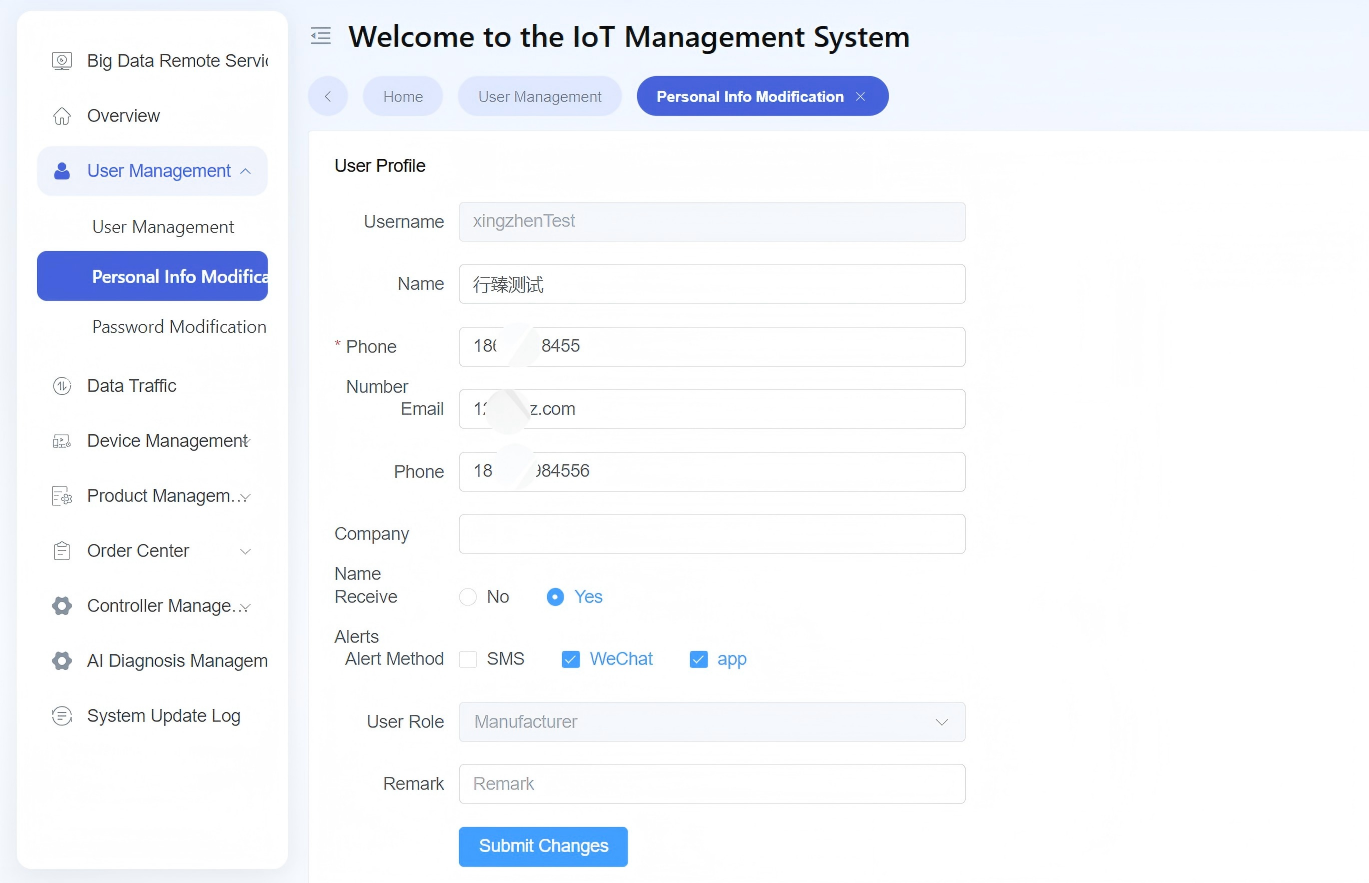
Figure: Personal Information Modification Page
Page Description
- Information items: Username, name, phone number, email, phone, company name.
- Alert settings: Whether to receive alerts, receiving method.
- Role information: Display current user role (read-only).
- Submit button: Used to save the content filled in on the current page after modifications.
Applicable Scenarios
- Supplement personal information after first using the platform.
- Update the phone number, email, or telephone when contact information changes.
- Maintain the settings when platform alert reception needs to be adjusted.
Operation Instructions
- Go to the "Personal Information Modification" page.
- Modify the basic information and alert settings according to actual needs.
- Check whether the filled-in content is accurate, especially the phone number, email, and alert receiving method.
- Click "Submit" to save the modifications.
Notes
- It is recommended to fill in commonly used and valid contact information such as the phone number and email, so that notifications can be received.
- If the alert receiving settings have been modified, it is recommended to confirm synchronously whether subsequent alerts are received as expected.
- If some fields on the page are not editable, it usually means that such fields are maintained centrally by the system or the administrator.
Result Description
- After successful submission, the latest personal information takes effect under the current account.
- If the update result is not visible after submission, refresh the page and confirm again.