
Rename Device Instructions
Log in to Device Smart, open the device that you want to rename, and tap the rename icon next to the device name. Enter the new name and confirm to save it.
Tap the rename icon  on the right side of the device name.
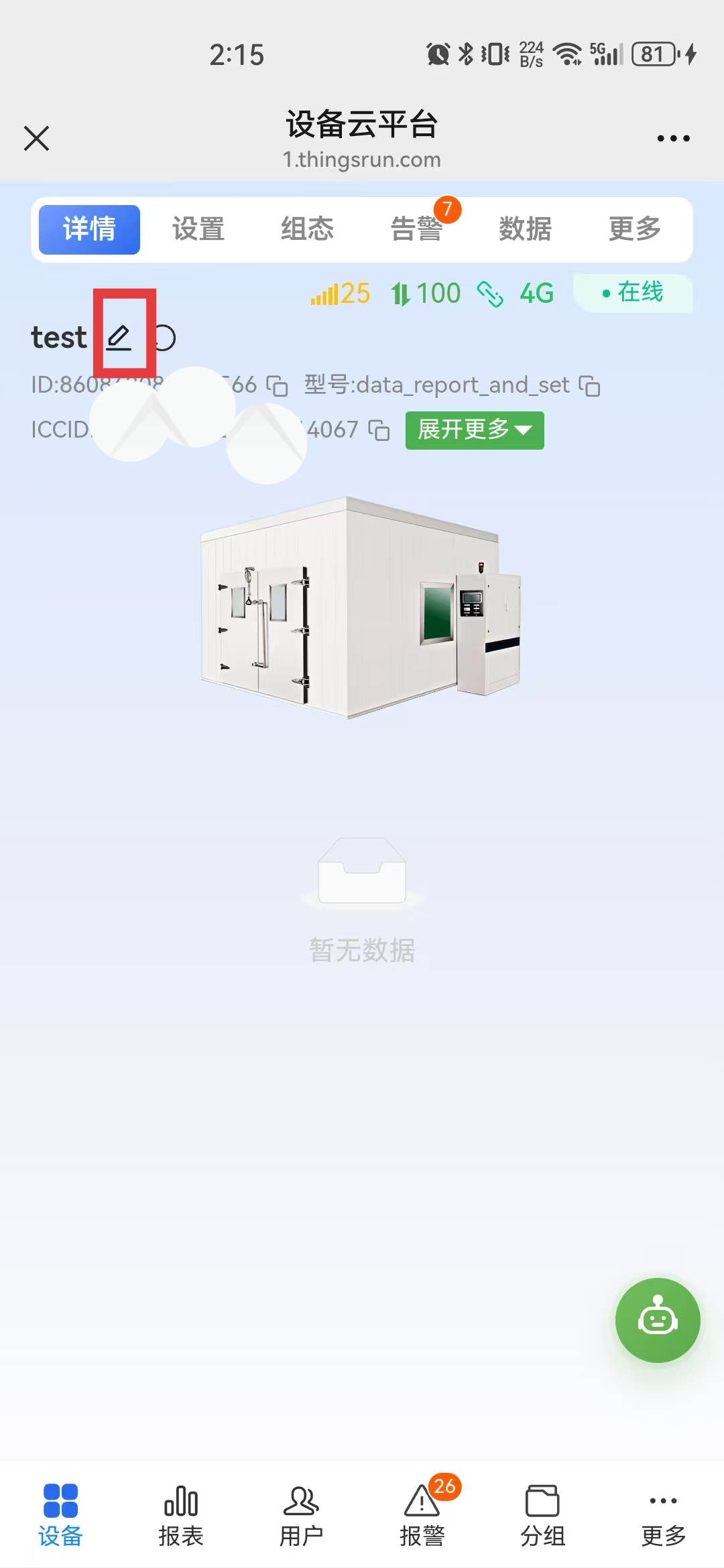
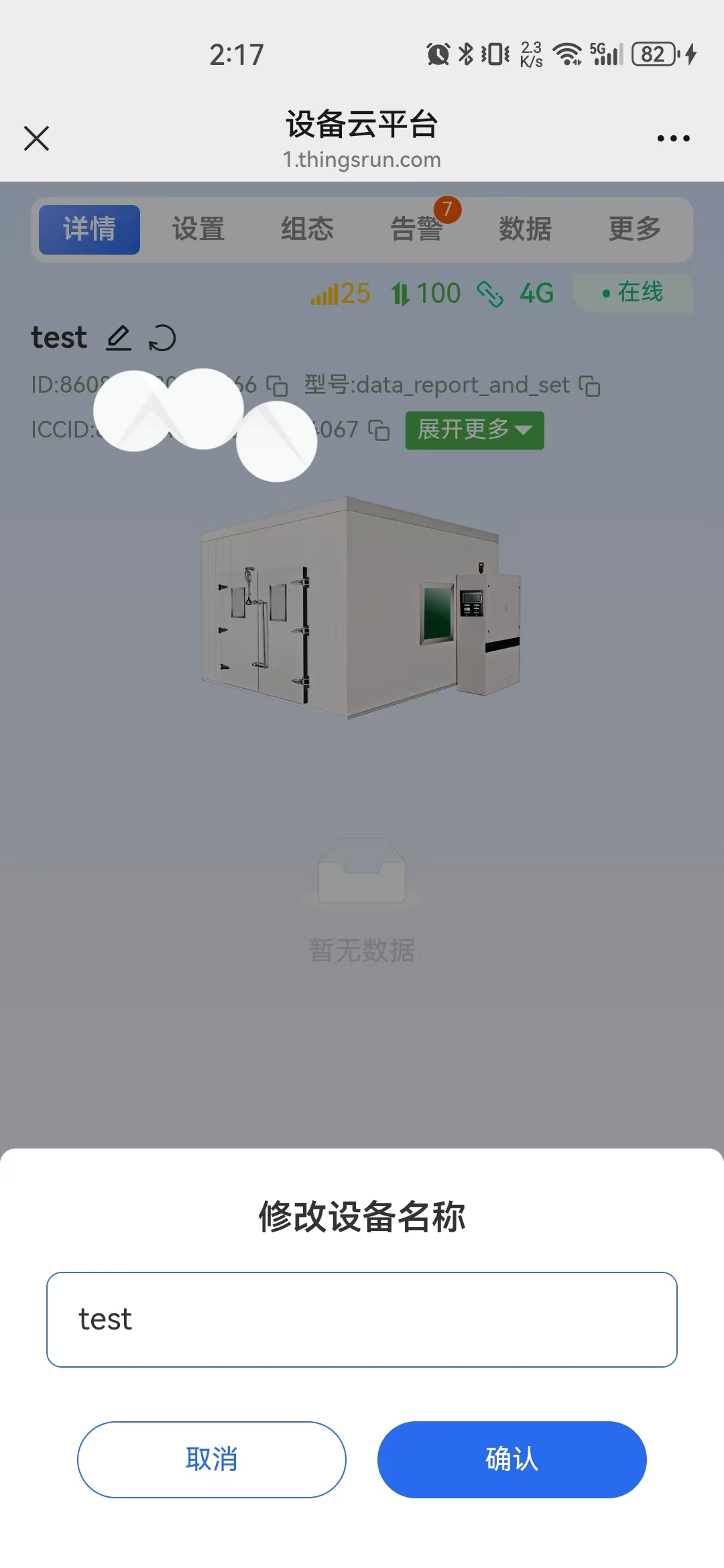
Log in to Device Smart, open the device that you want to rename, and tap the rename icon next to the device name. Enter the new name and confirm to save it.
Tap the rename icon on the right side of the device name.