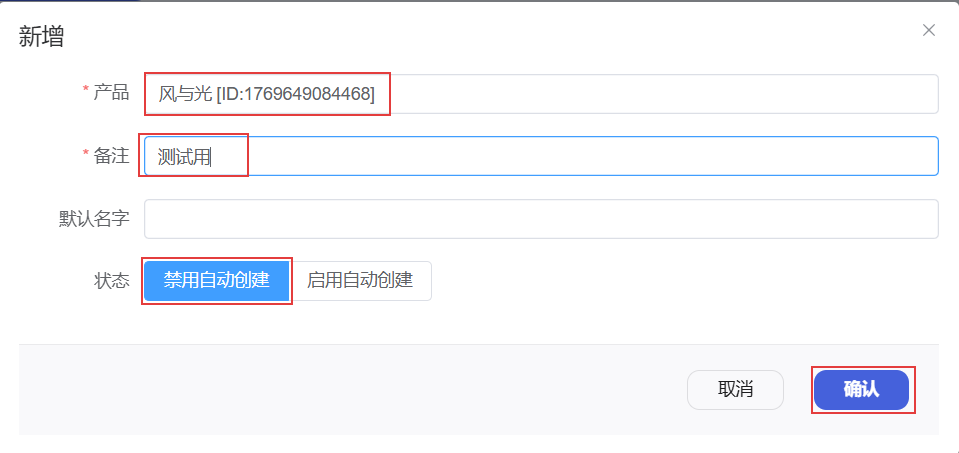
Configure Product Auto Create Device
After enabling Device Auto Create for a product, you no longer need to manually create every device in the backend.
When a device connects to the system, the platform automatically checks whether the device already exists. If it does not, the platform automatically creates the device in the backend according to the corresponding product configuration, reducing manual work and improving efficiency.
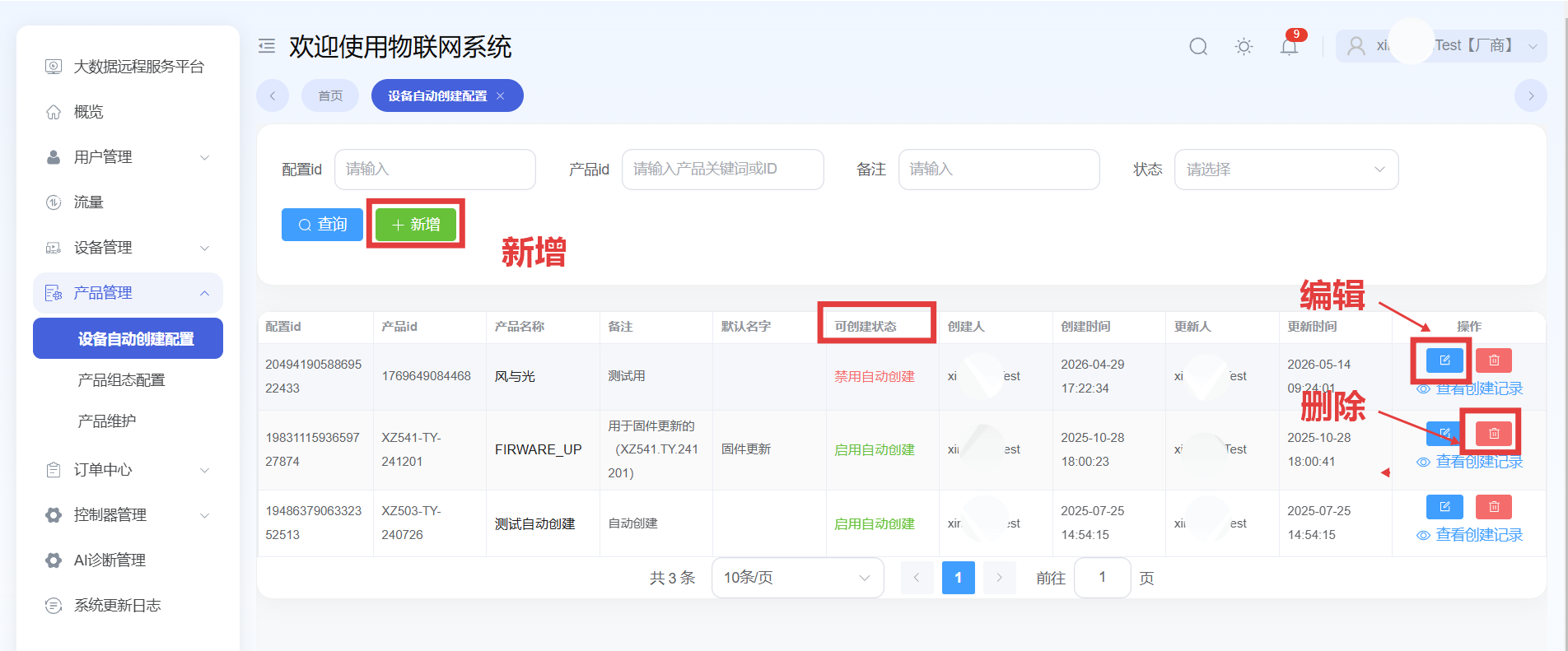
Create a New Auto-Create Configuration
First select the target product, add a clear remark, enable auto-create, and then confirm to complete the configuration.
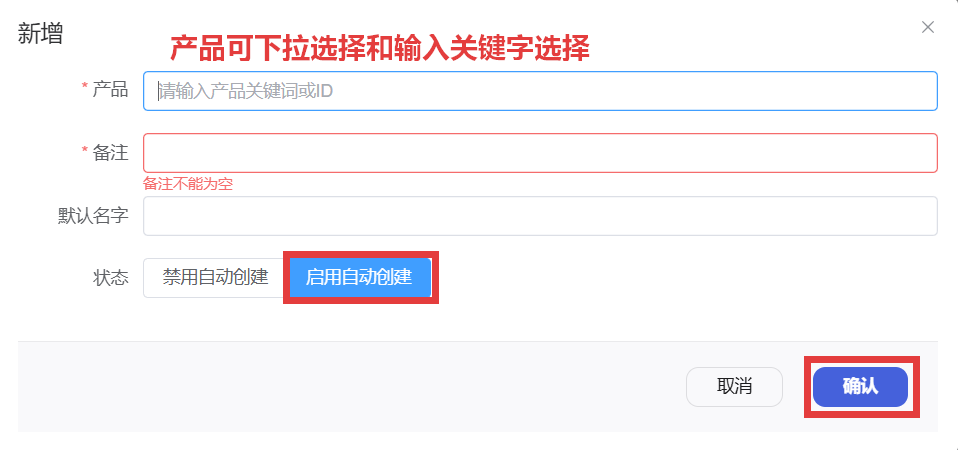
Edit Auto-Create Configuration
When auto-create is temporarily not needed, you can change the status to Disable Auto Create.