Xingzhen IoT Module (DTU)Quick Connection Instructions
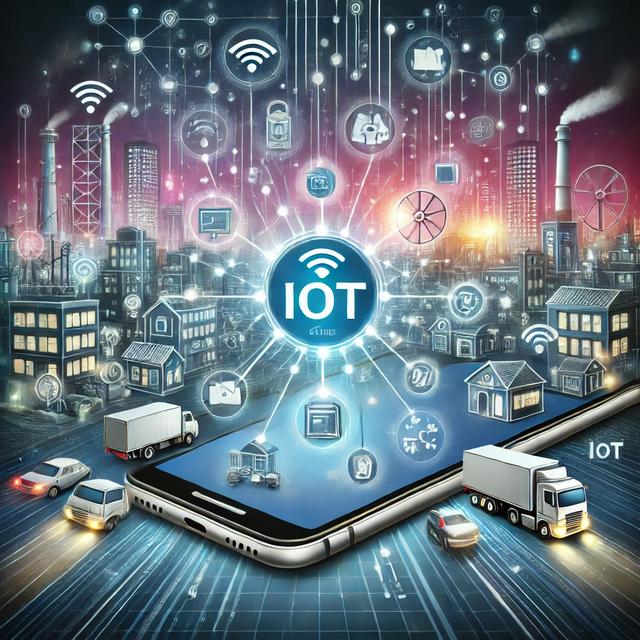
-----10 minutes, Xingzhen Technology turns your traditional device into a smart device
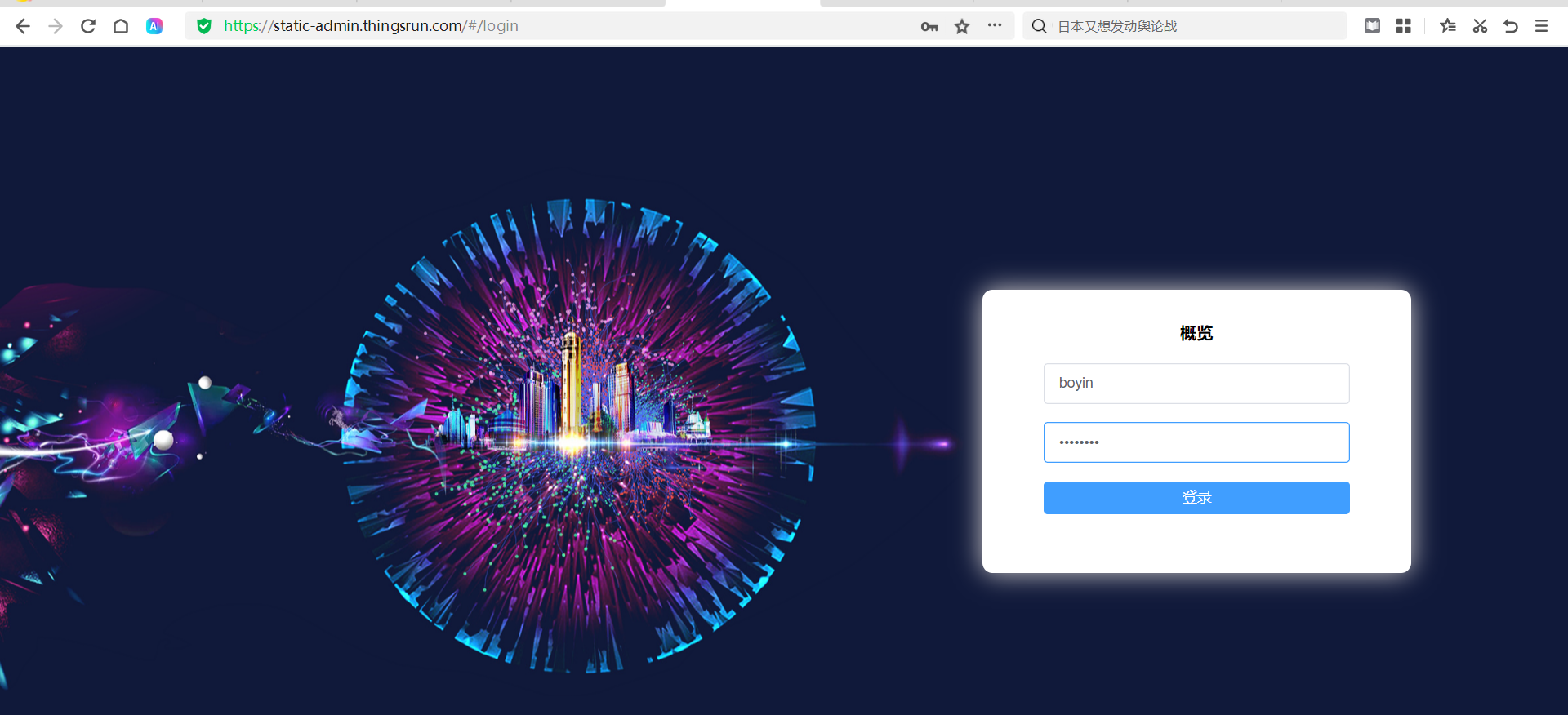
1.Log in to the Backend System
Backend website address: http://thingsrun.com Open the website, enter account and password to log in.
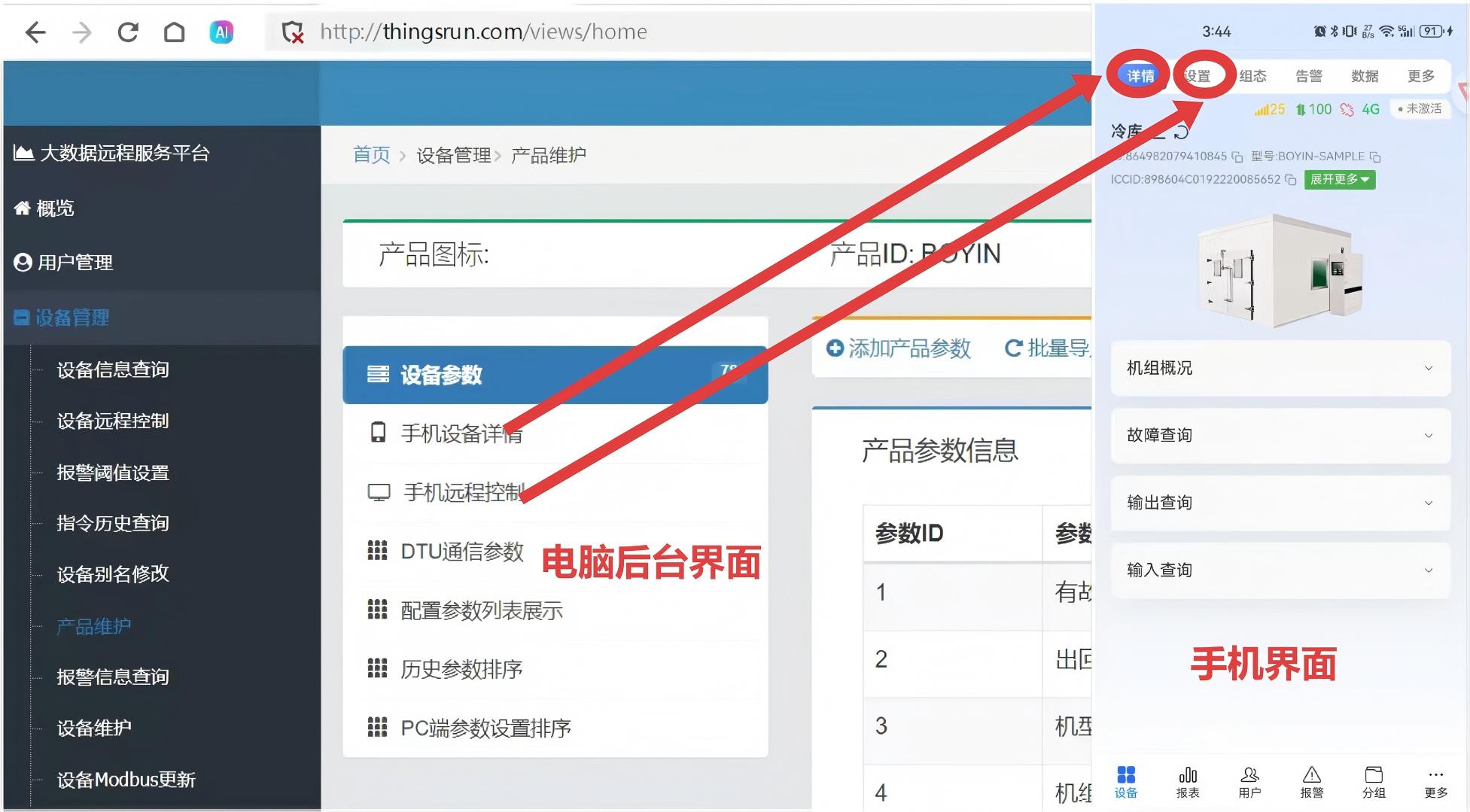
2.Find the parameters to be associated
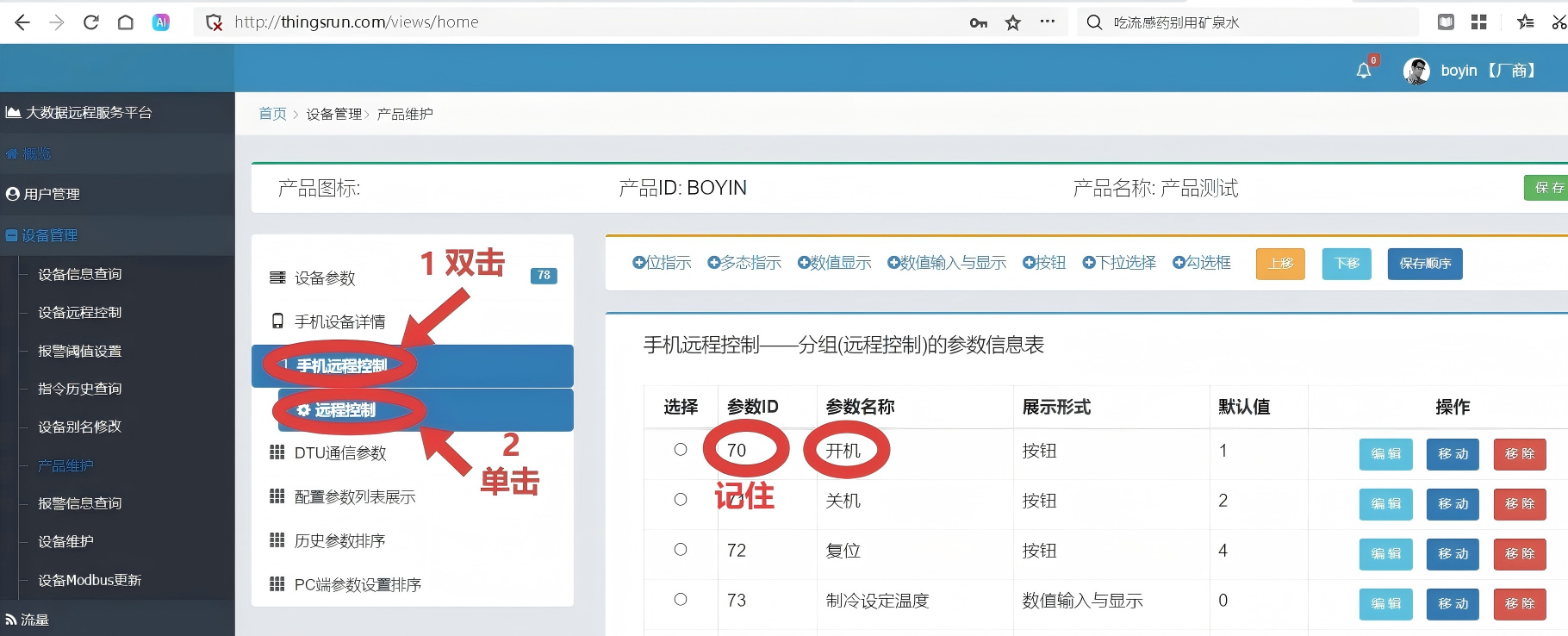
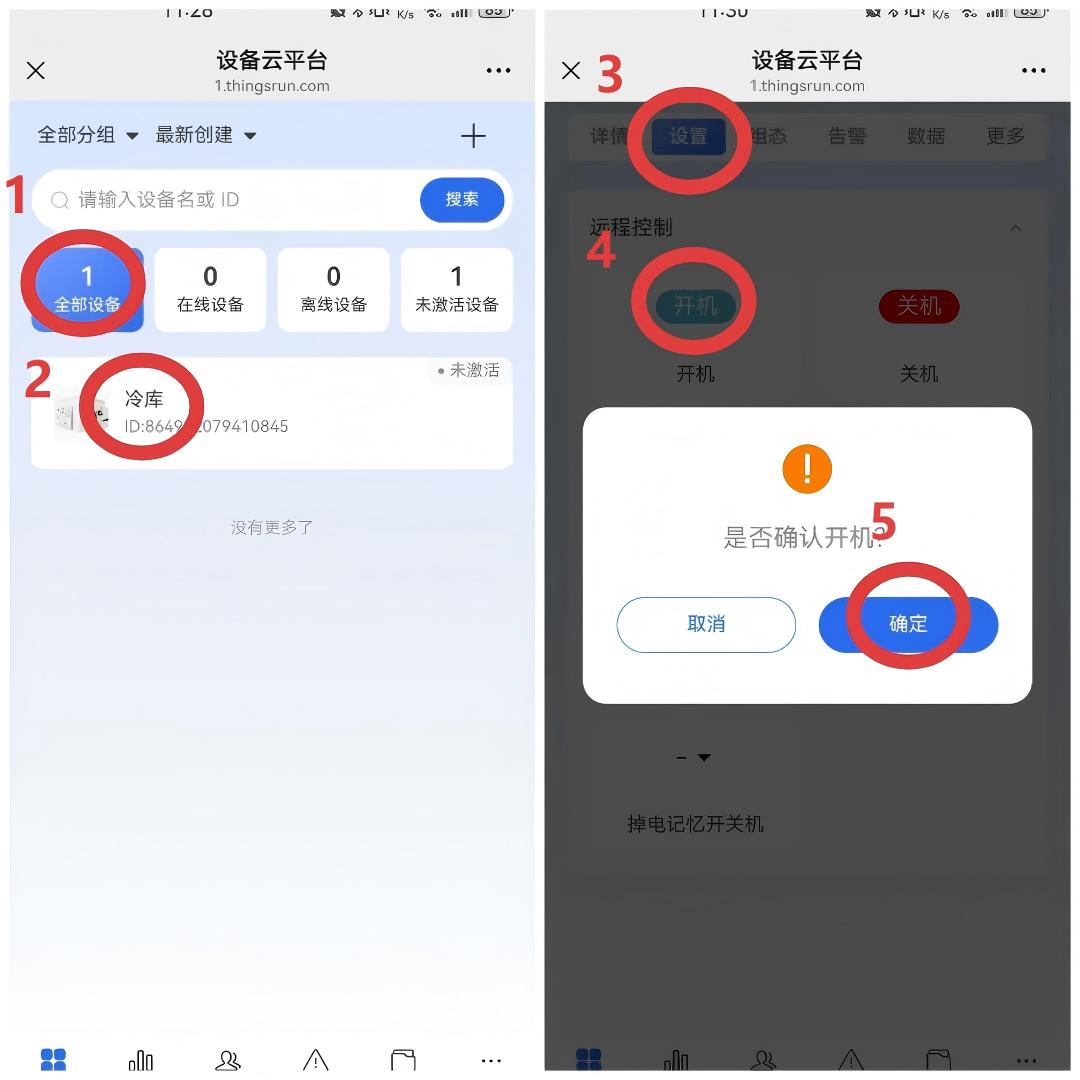
Take "Settings--Remote Control--Power On" in the app as an example
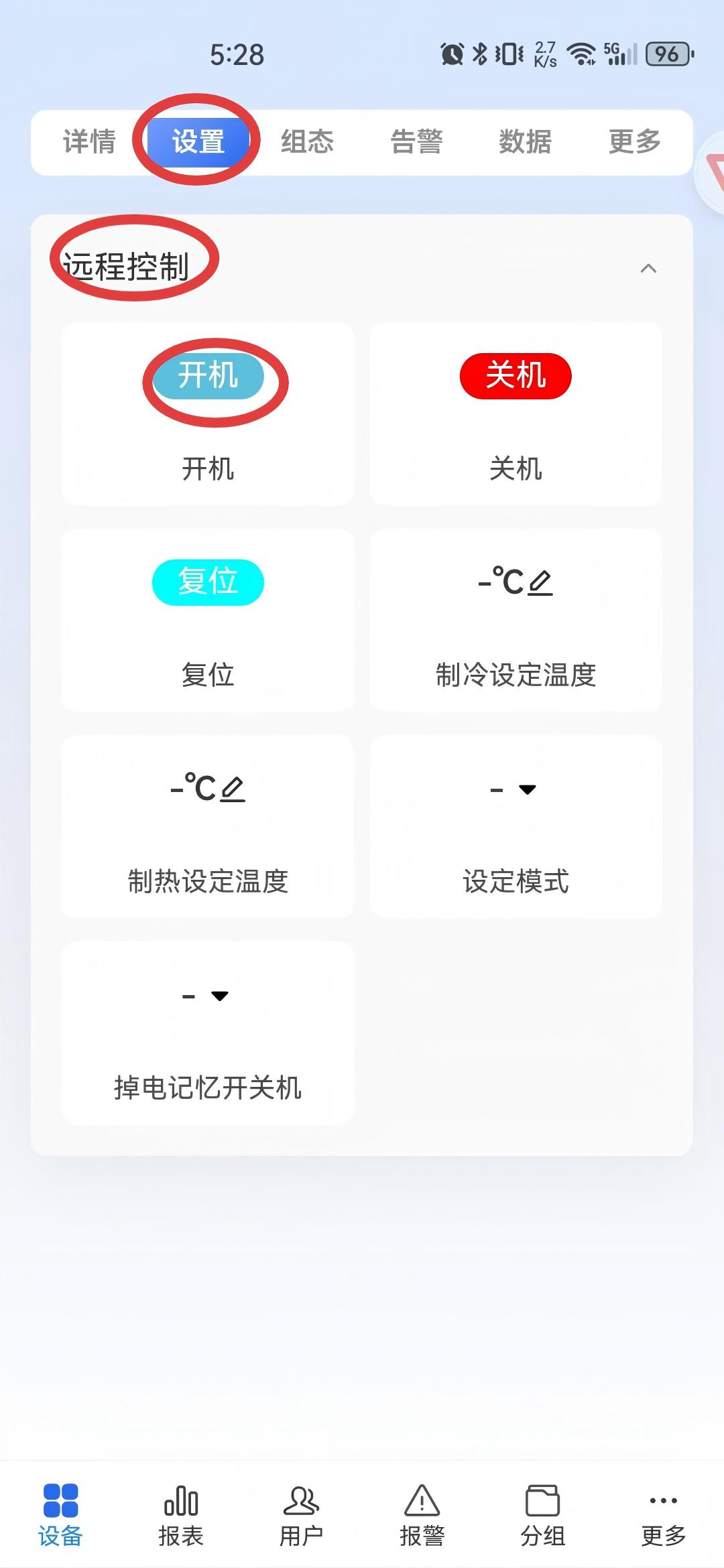
3."Settings" in the app corresponds to "Mobile Remote Control" in the backend
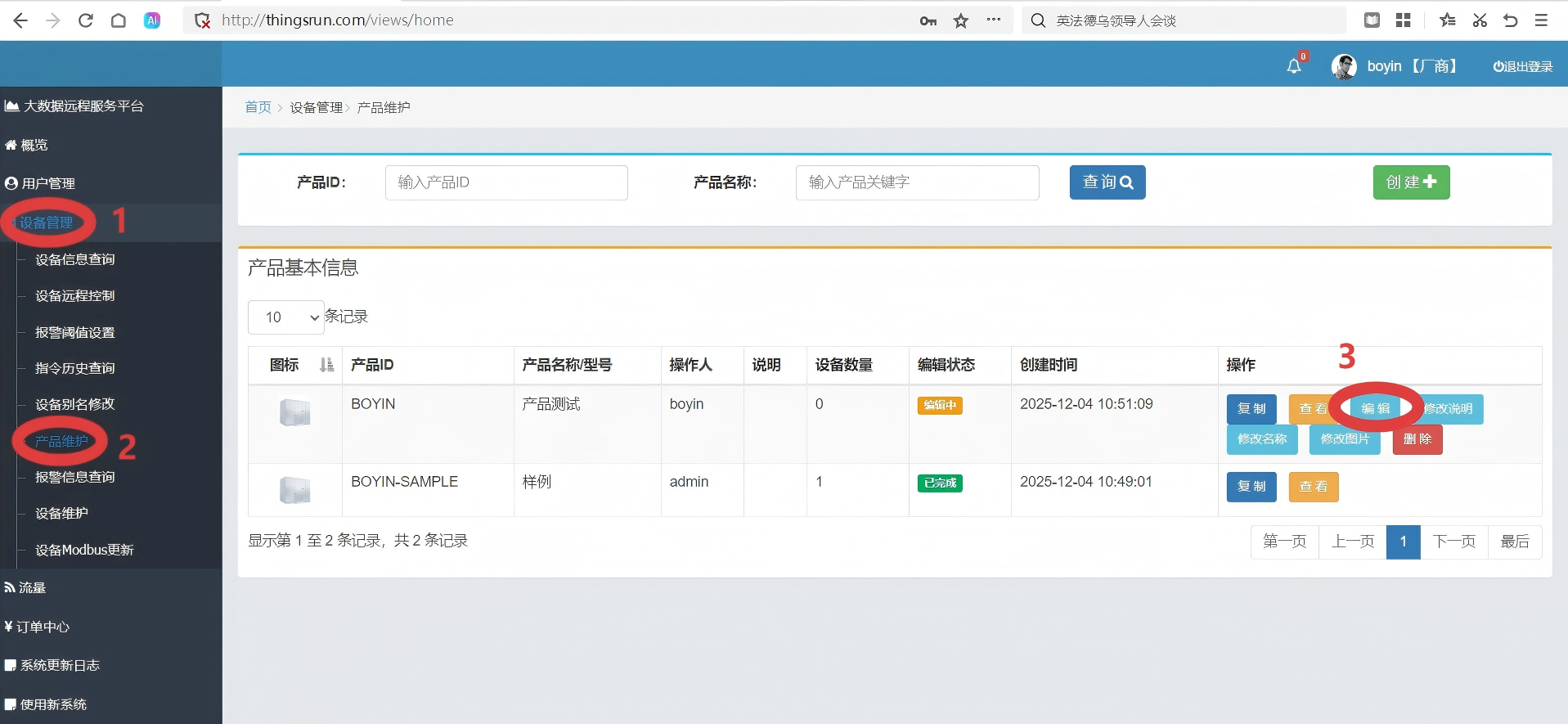
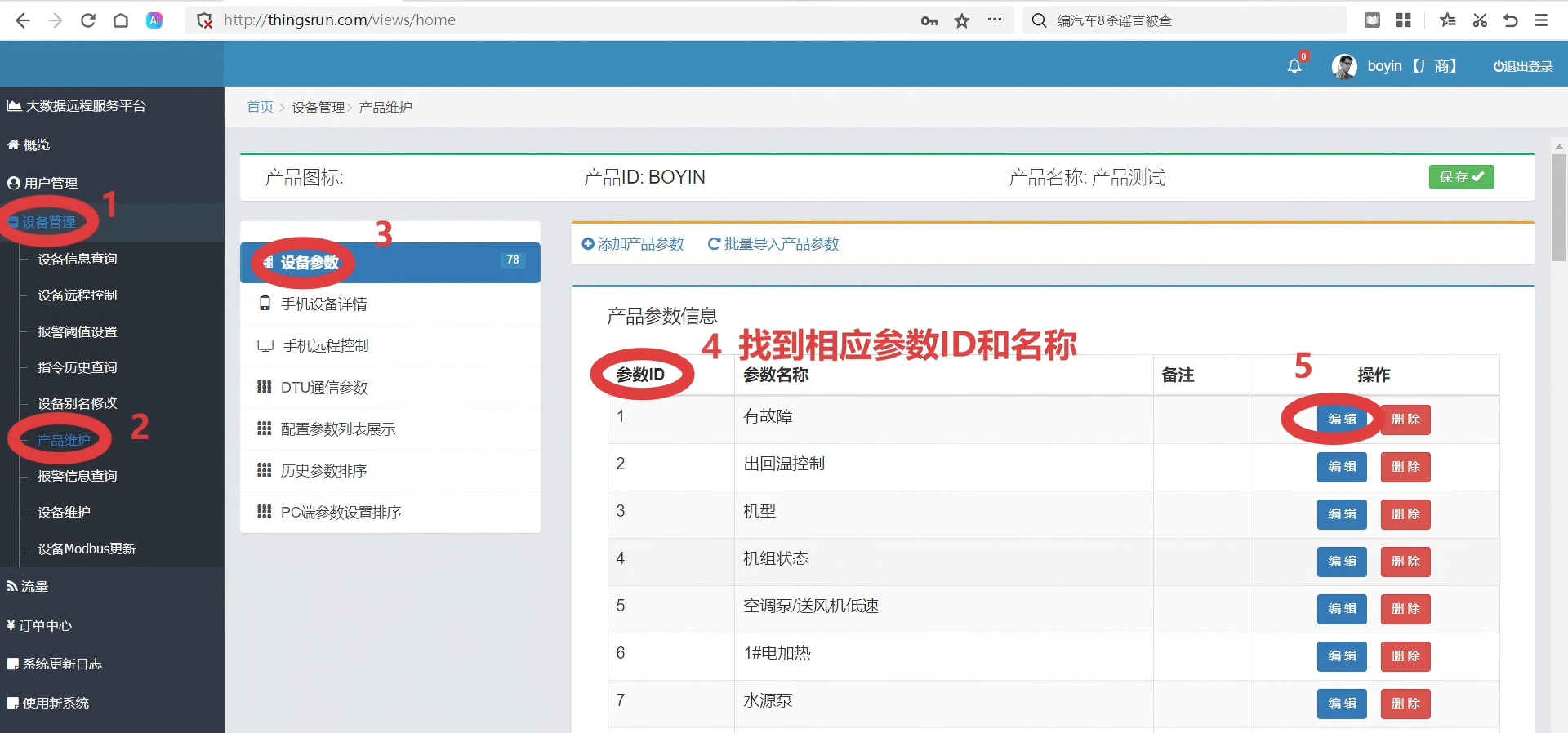
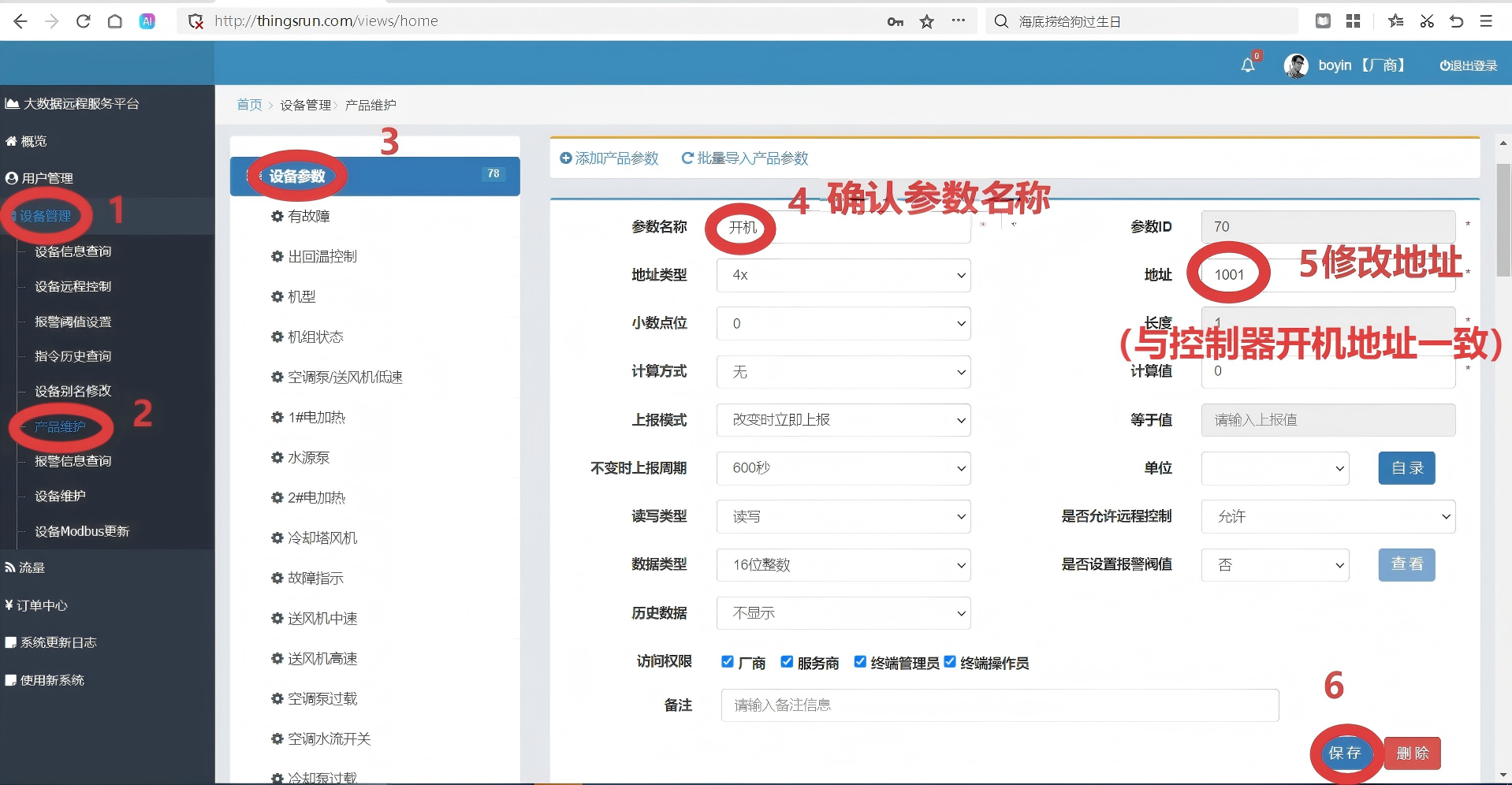
4.Configure communication parameters between IoT module (DTU) and controller
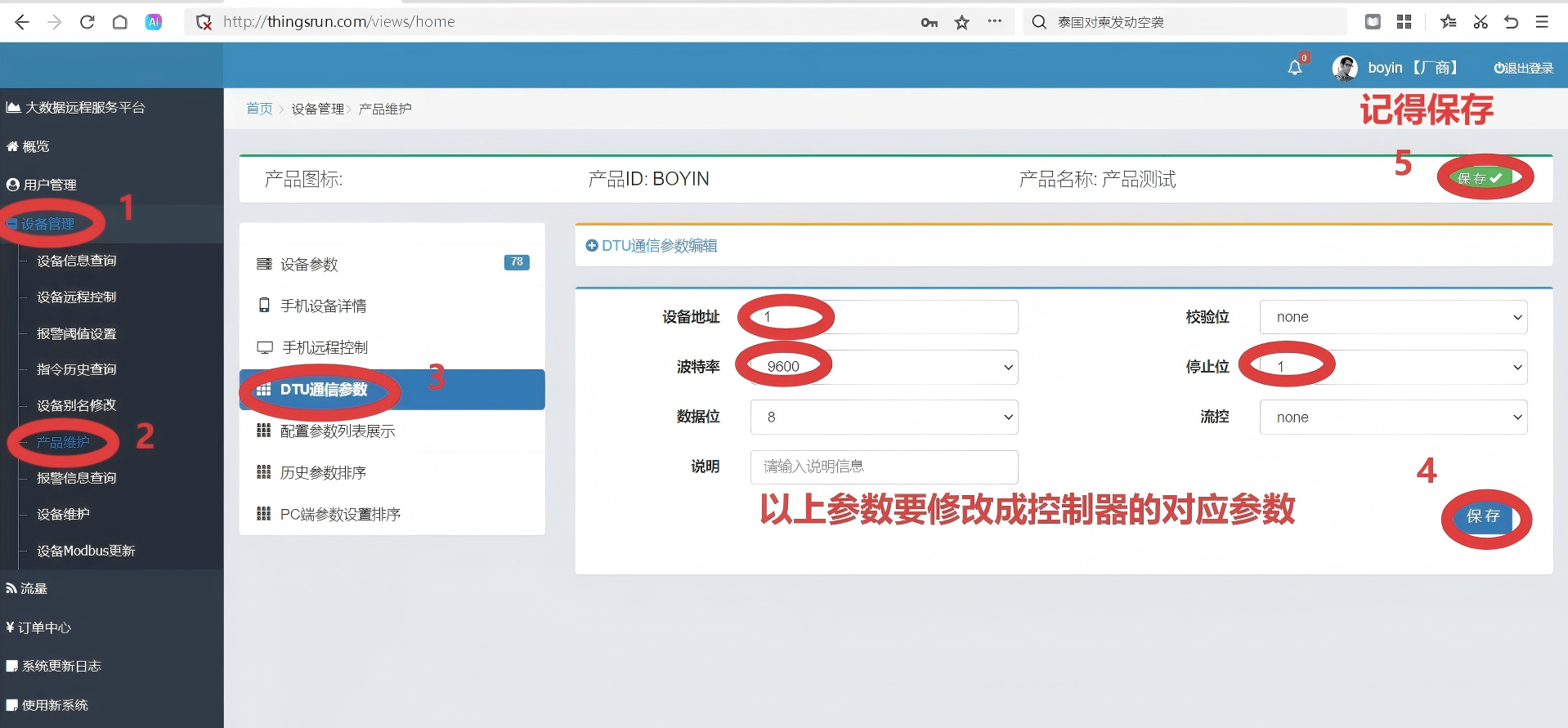
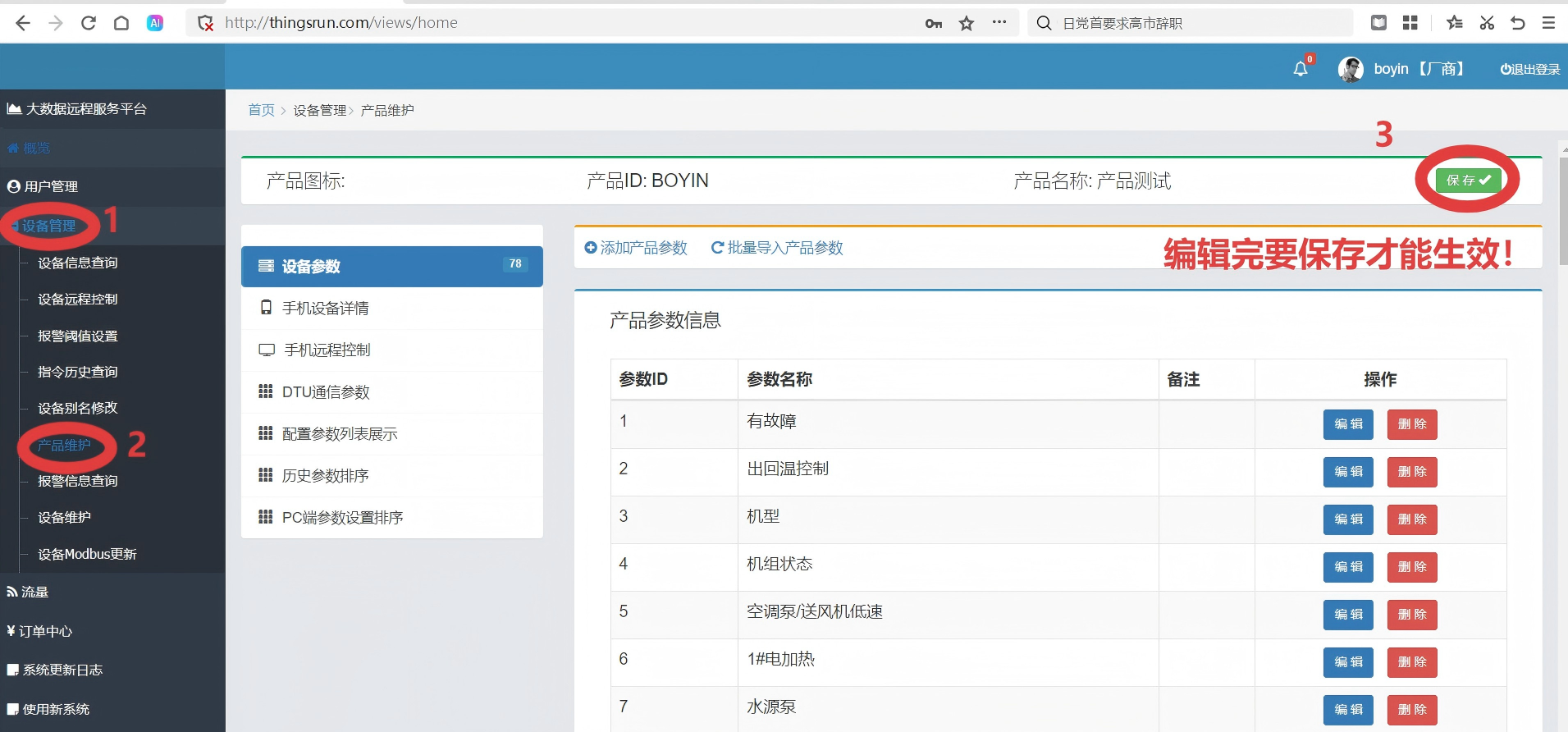
5.Check if saved
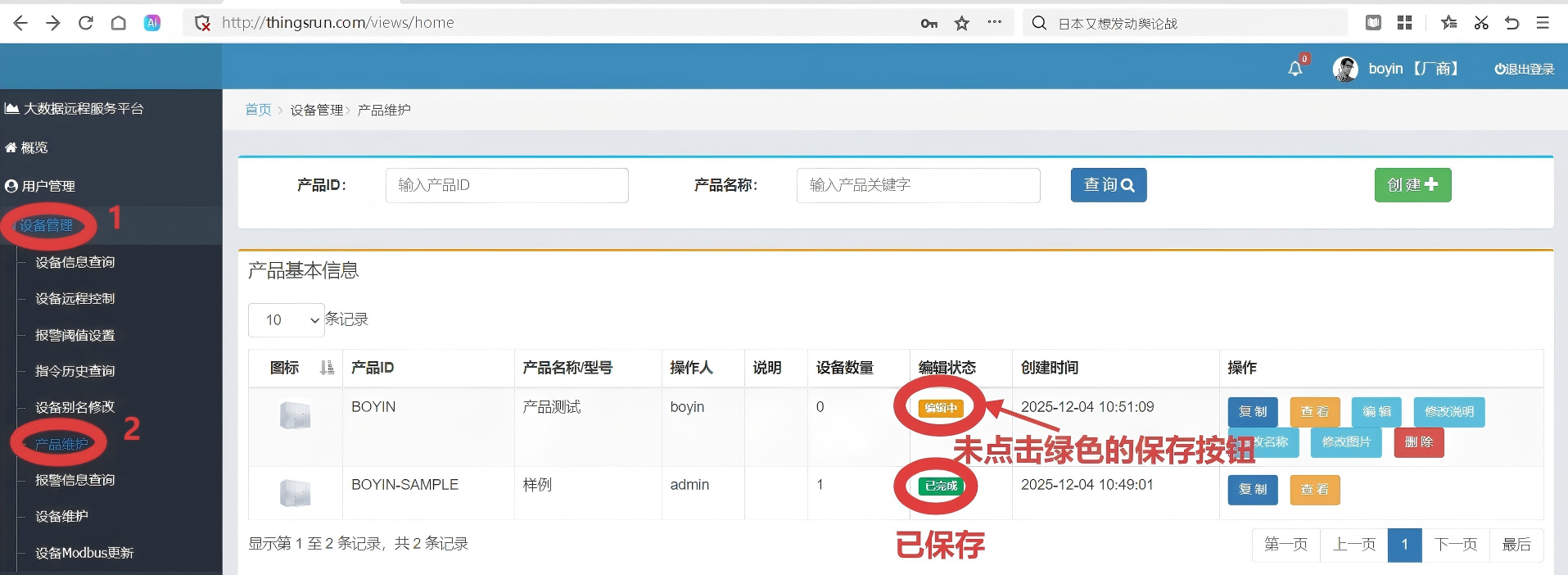
6.Hardware Connection
.CykQBk81.jpg)
7.Log in to the official account, control the device
8.Contact Us
Company Information
- Company Name: Beijing Xingzhen Technology Co., Ltd.
- Company Address: Room 519, Building 1, No. 10 Longyu North Street, Changping District, Beijing
- R&D Center: A16-3A, Chuangxinggang Changban University Innovation Park, No. 21 Changyuan Road, Tianhe District, Guangzhou
- Contact Person: Li Zhongyou
- Phone: 15625178785