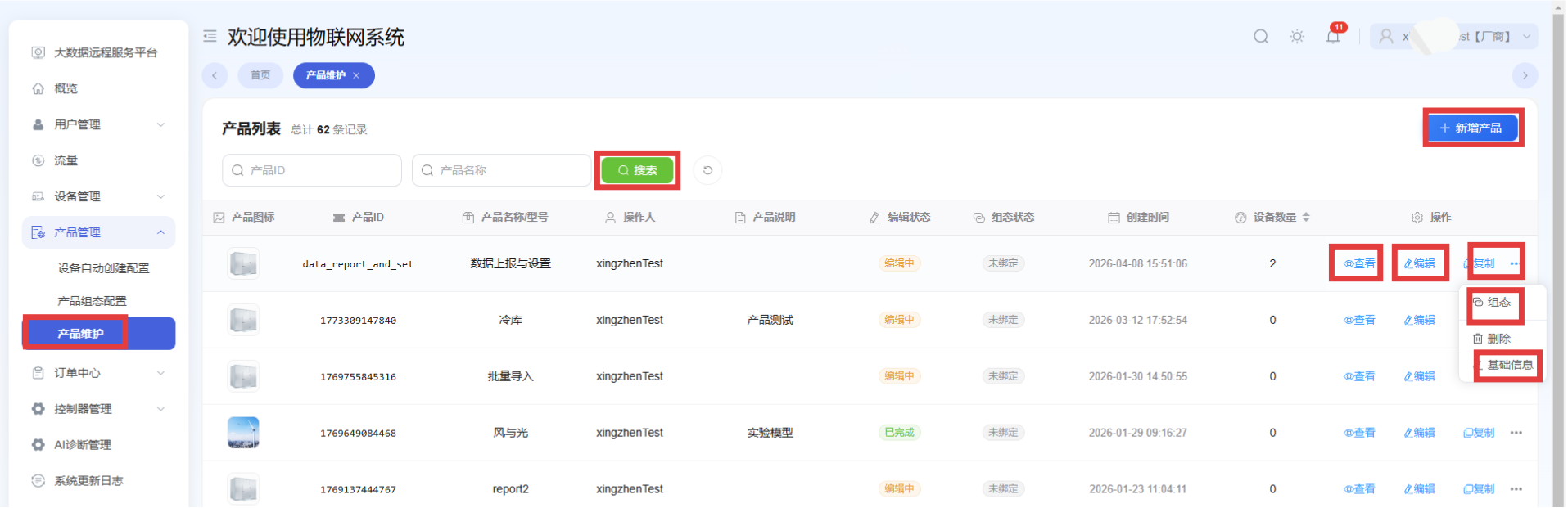
Product Maintenance
This page supports querying and adding products, viewing and editing product parameters, copying products, binding mobile configuration pages, and editing basic product information.
It also supports mobile device detail configuration, mobile remote control configuration, DTU communication parameters, historical data parameter sorting, and PC-side parameter setting order.
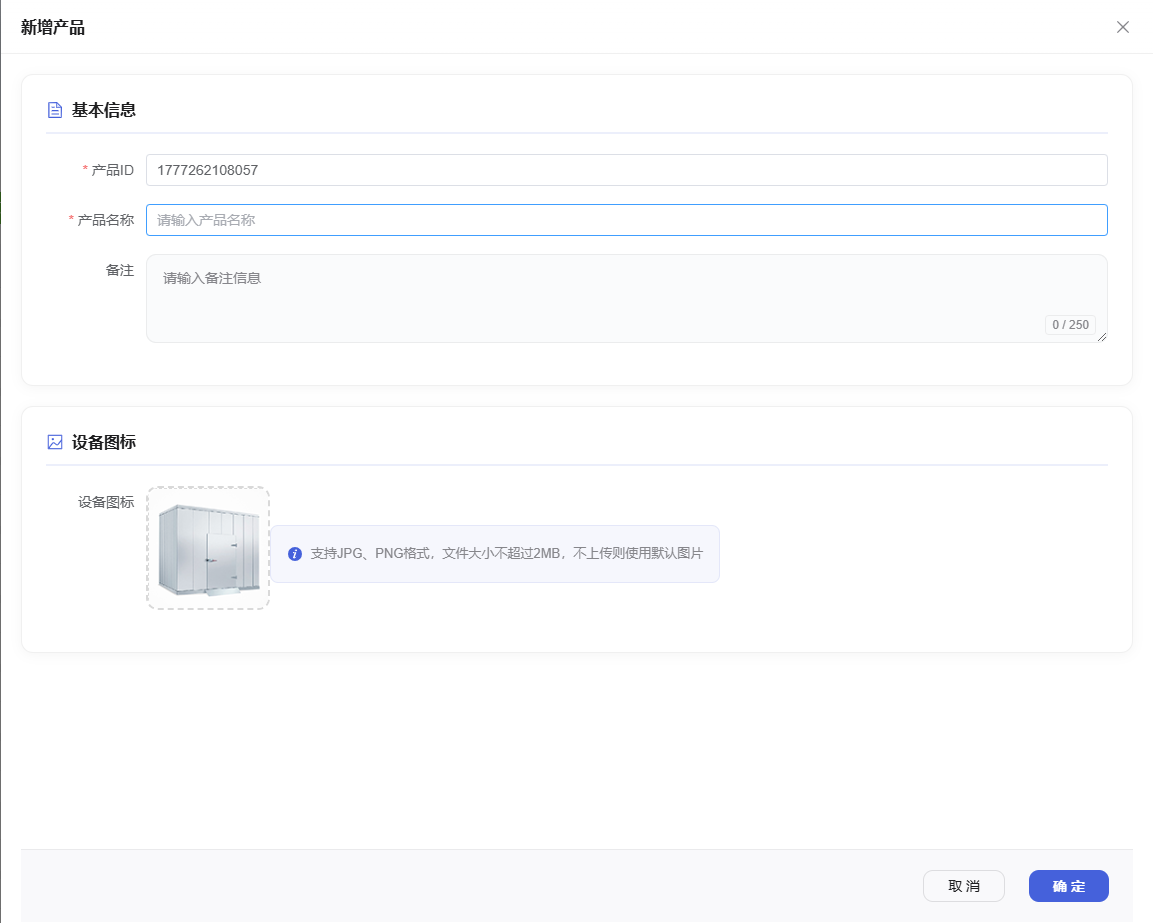
Add Product
Path: Product Maintenance -> Add Product
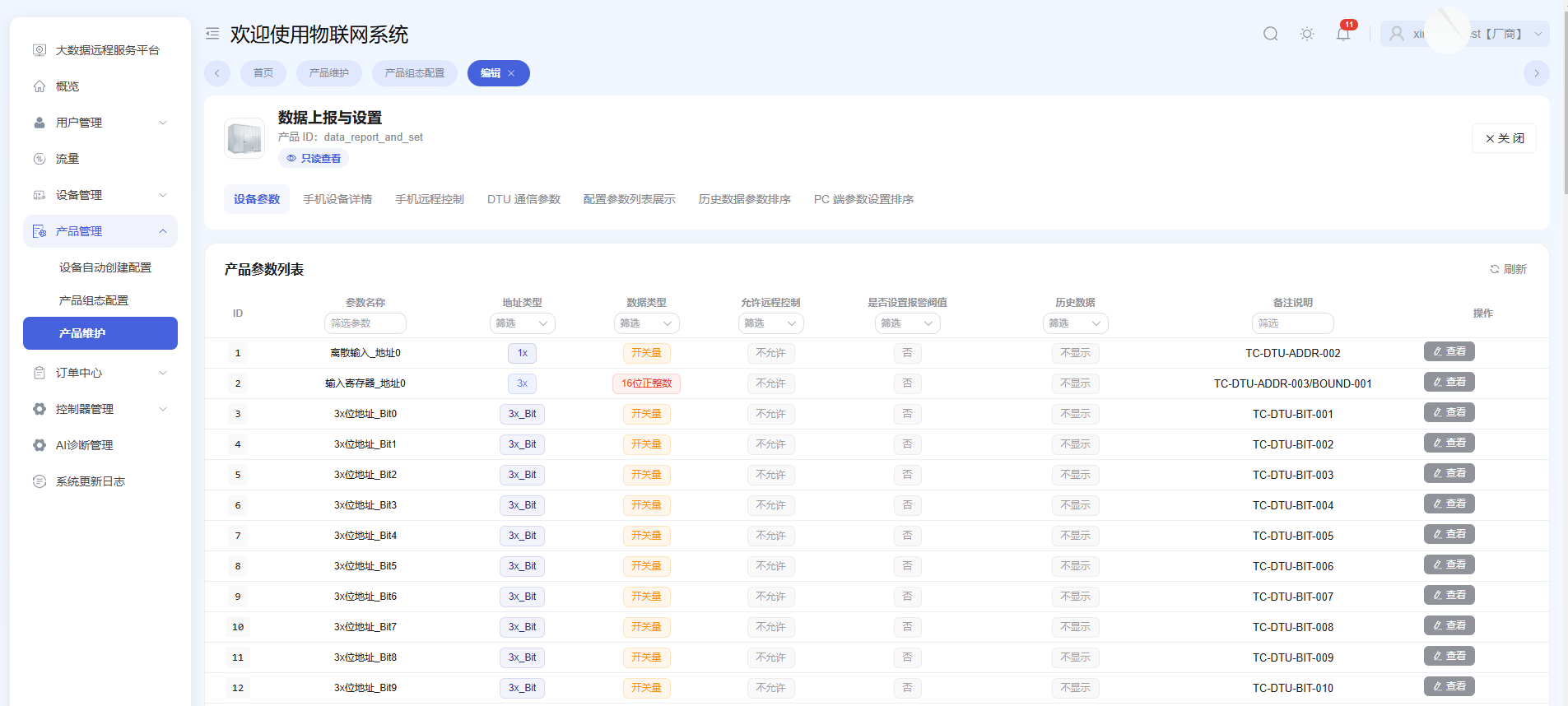
View Product Parameters
For viewing only. Parameters cannot be modified on this page.
Path: Product Maintenance -> View
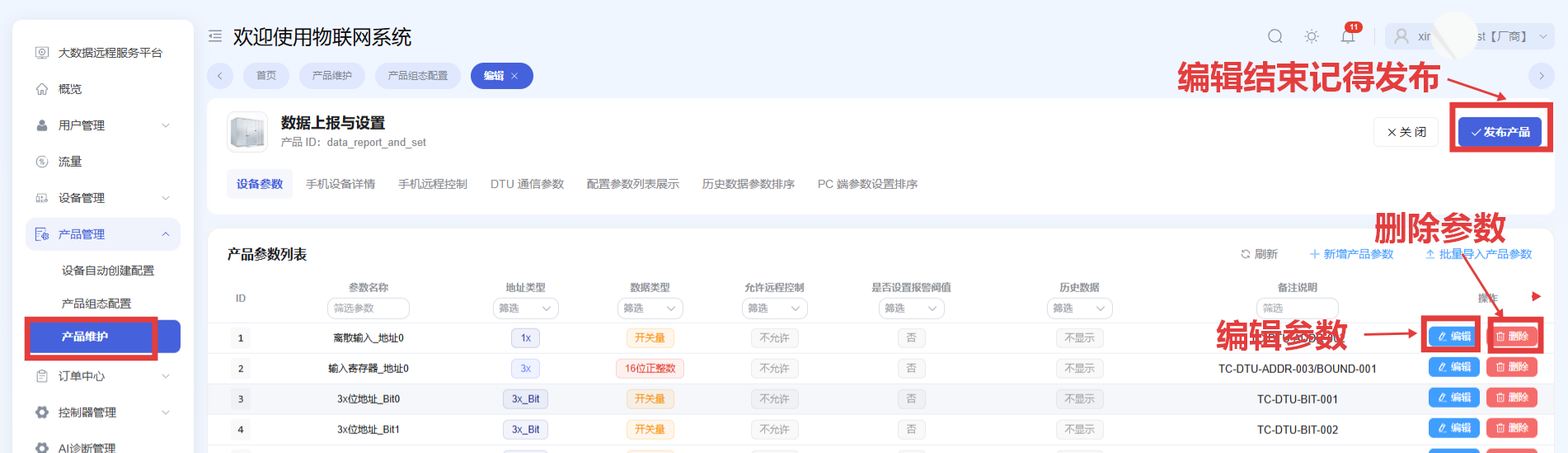
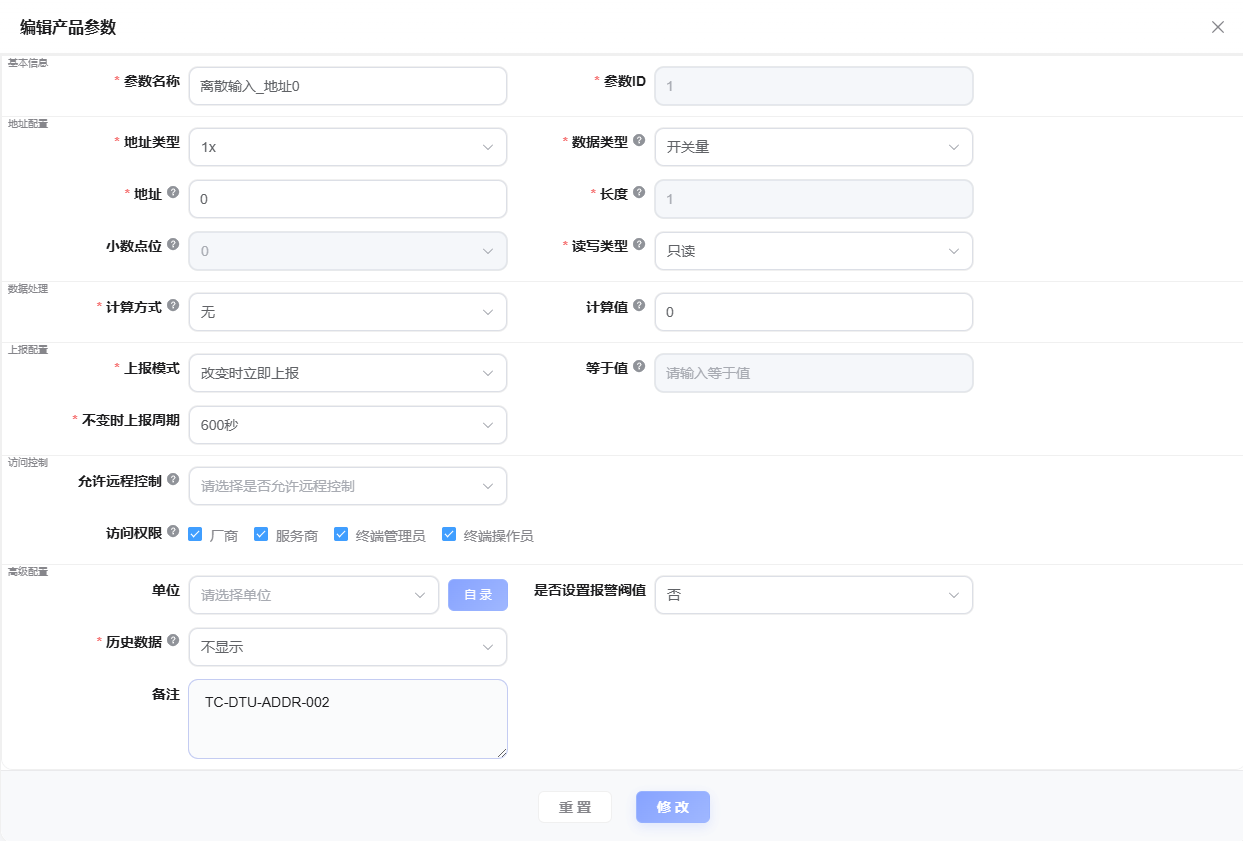
Edit Parameters
Path: Product Maintenance -> Device Parameters -> Edit
Configure Mobile Device Details
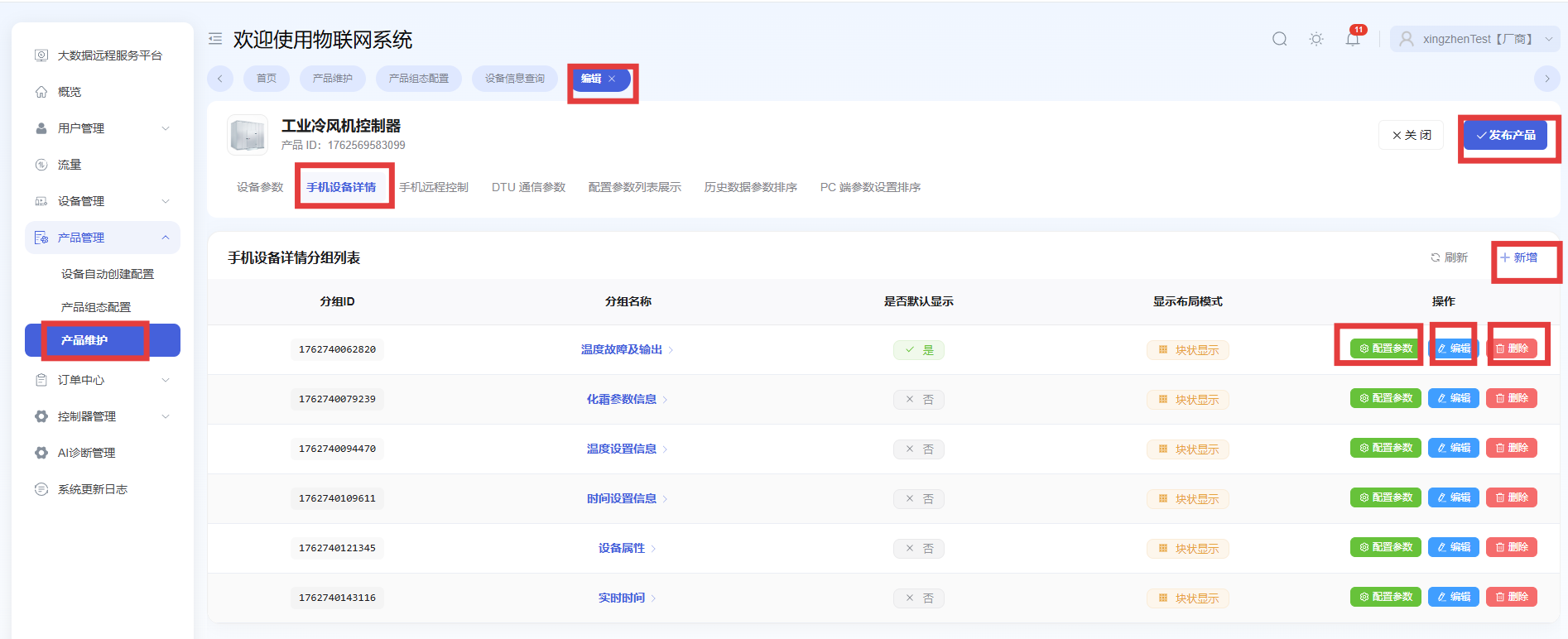
This is the detail page shown in the Device Smart app.
Path: Product Maintenance -> Edit -> Mobile Device Details
.BMw87s6W.png)
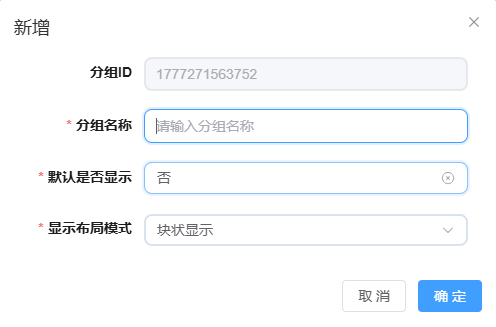
Add a Group in Mobile Device Details
Path: Product Maintenance -> Edit -> Mobile Device Details -> Add
Add Parameters to a Group in Mobile Device Details
Path: Product Maintenance -> Edit -> Mobile Device Details -> Configure Parameters
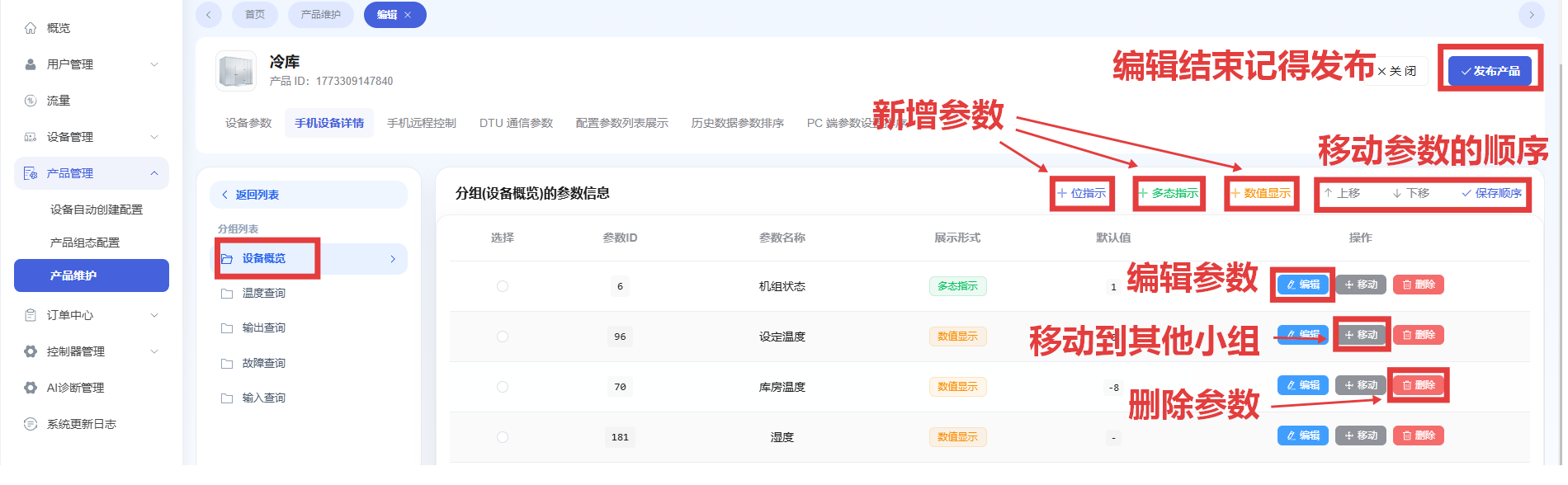
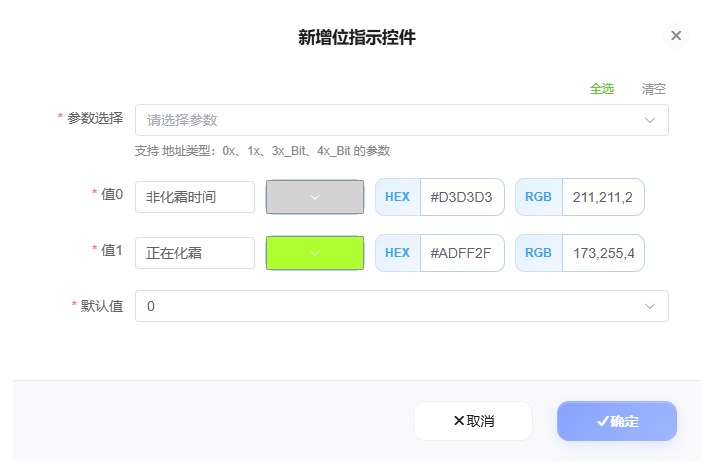
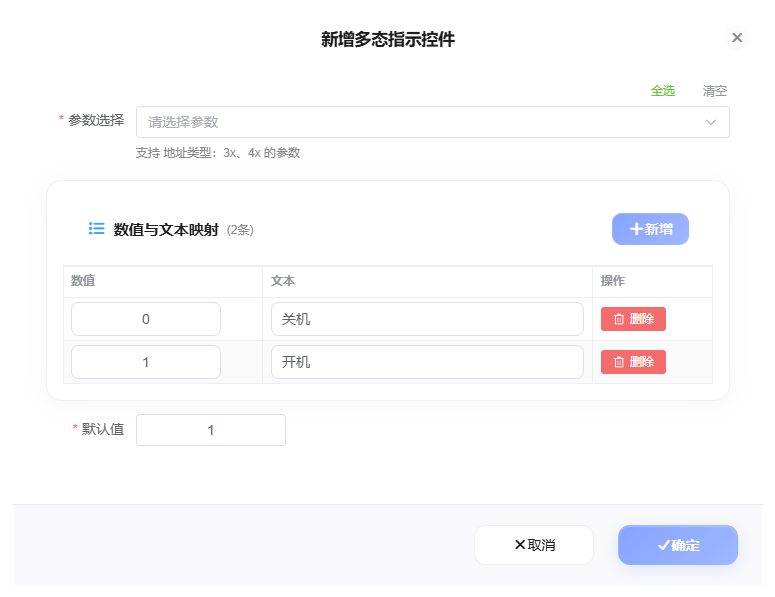
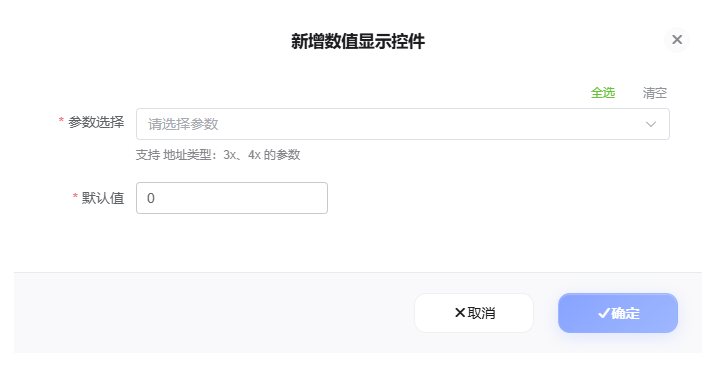
Add Bit Indicator, Multi-state Indicator, and Value Display
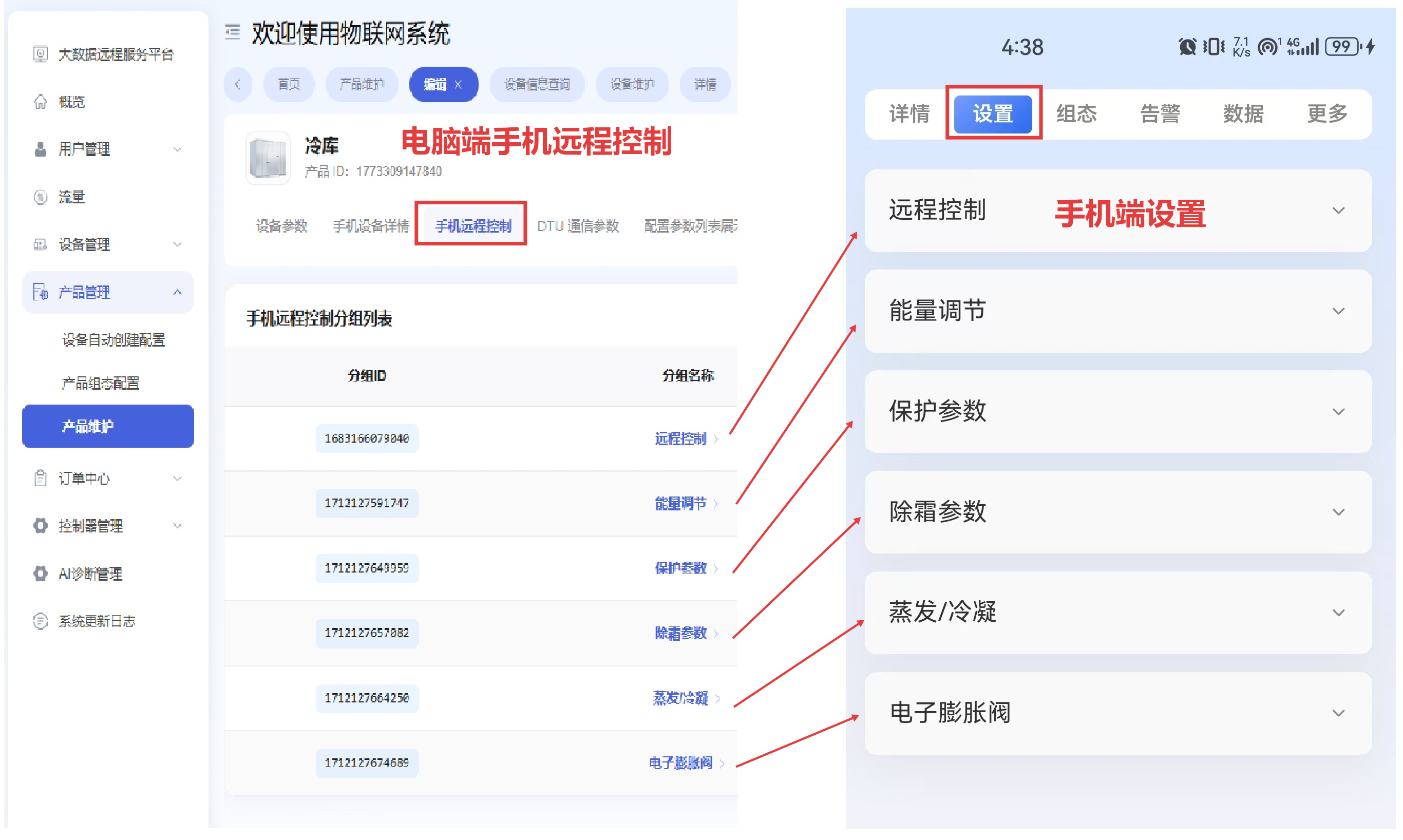
Configure Mobile Remote Control
This is the settings page shown in the Device Smart app.
Path: Product Maintenance -> Edit -> Mobile Remote Control
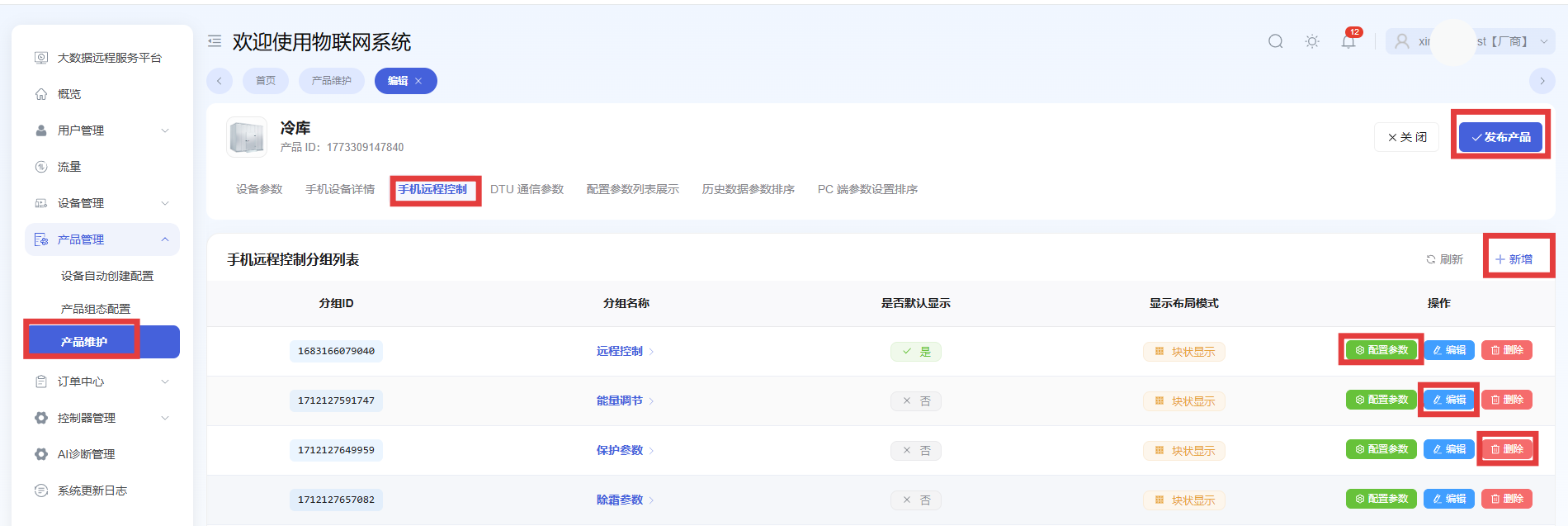
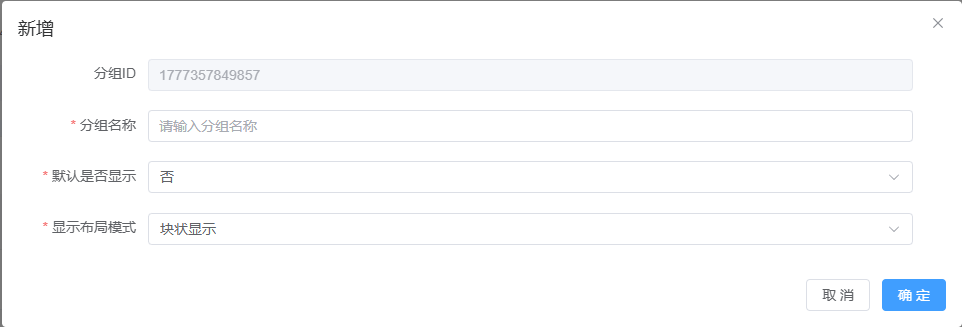
Add a Group in Mobile Remote Control
Path: Product Maintenance -> Edit -> Mobile Remote Control -> Add
Configure Parameters for Mobile Remote Control
Path: Product Maintenance -> Edit -> Mobile Remote Control -> Configure Parameters
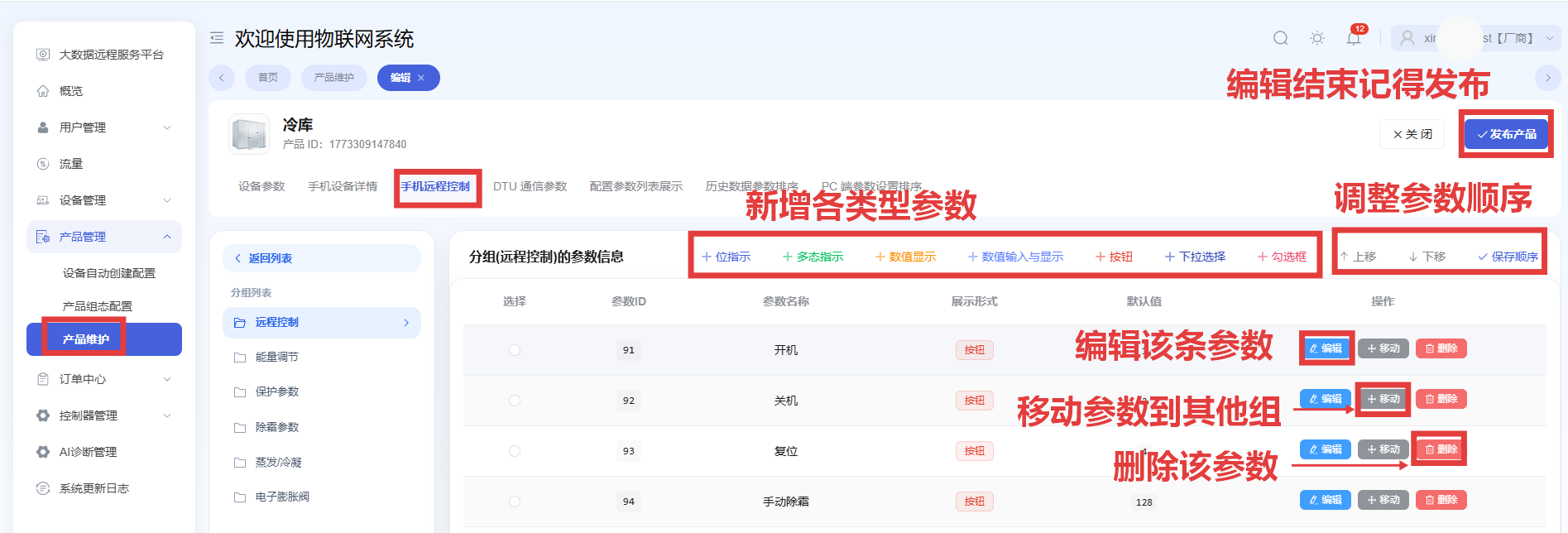
Add Bit Indicator and Multi-state Indicator in Mobile Remote Control
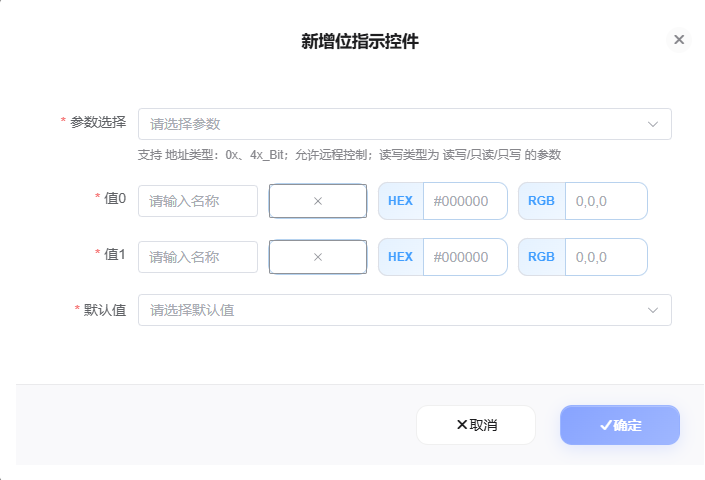
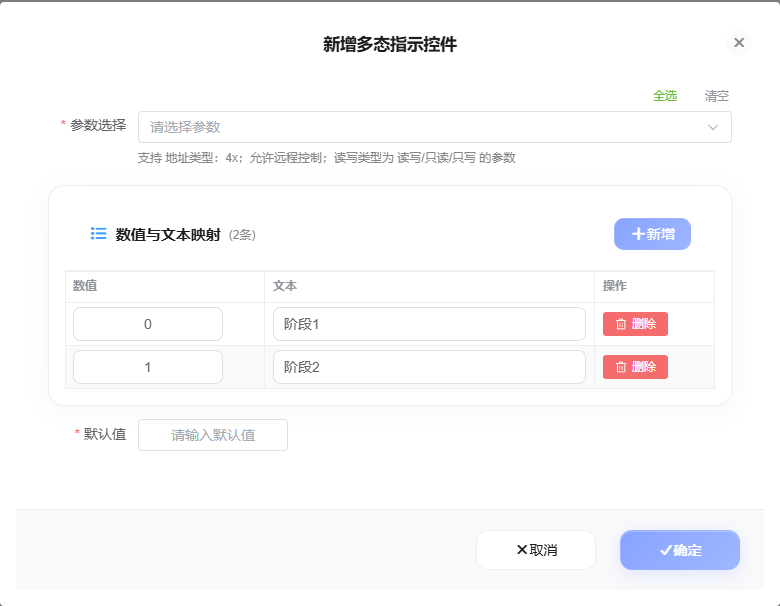
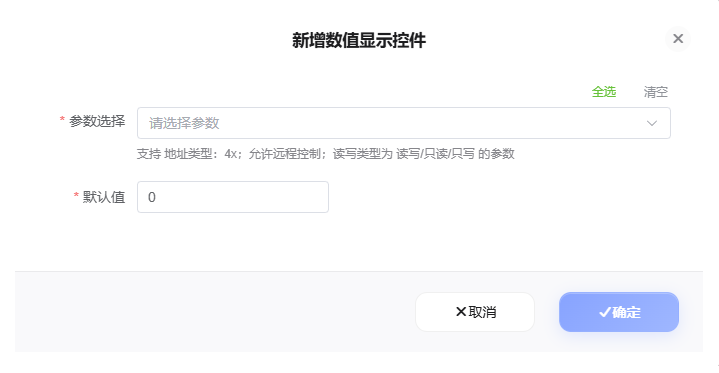
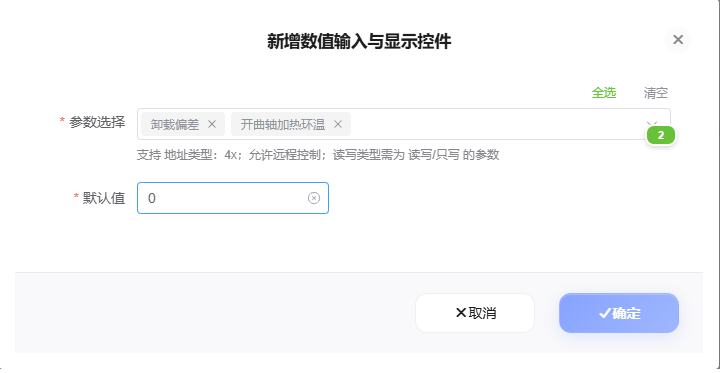
Add Value Display and Value Input with Display in Mobile Remote Control
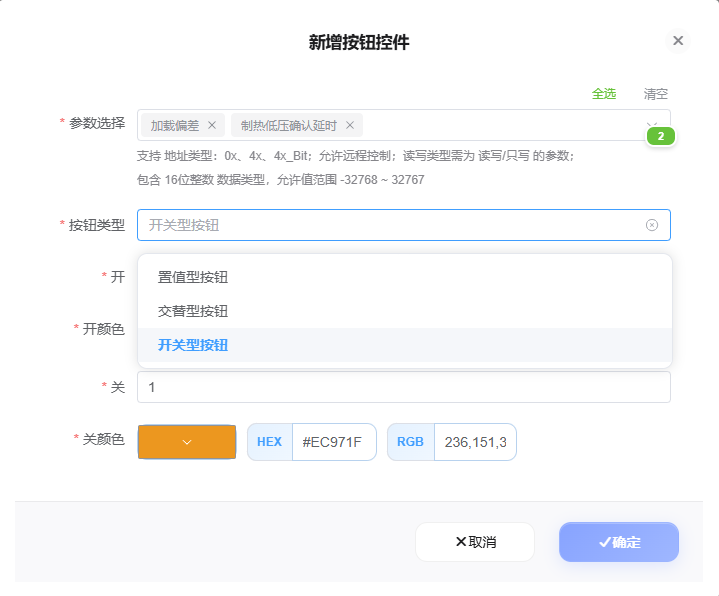
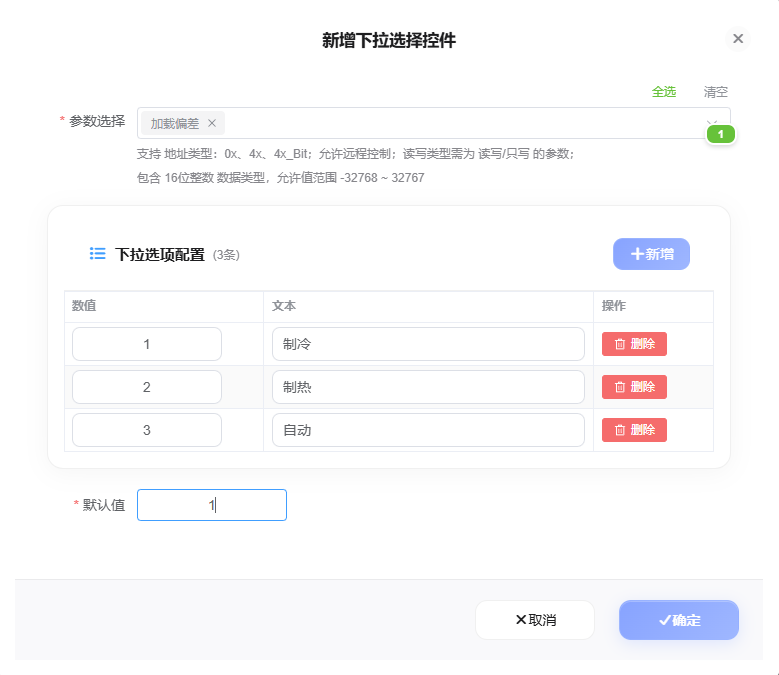
Add Button and Dropdown Selection in Mobile Remote Control
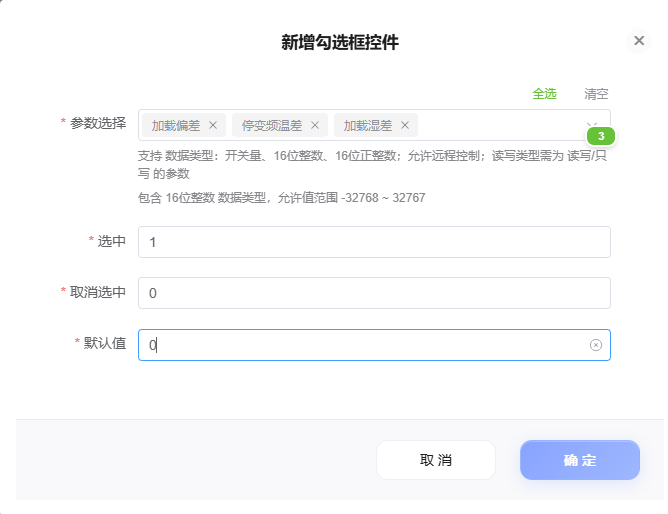
Add Checkbox in Mobile Remote Control
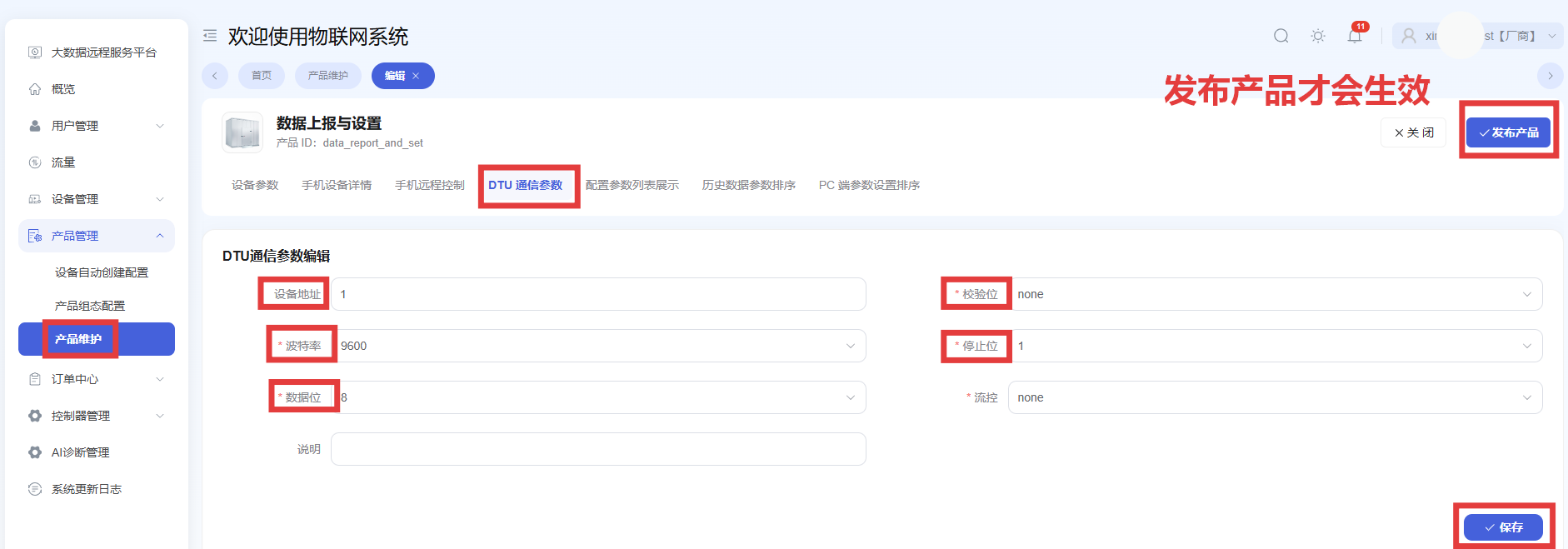
DTU Communication Parameter Configuration
The logic is consistent with controller parameter configuration.
Path: Product Maintenance -> Edit -> DTU Communication Parameters
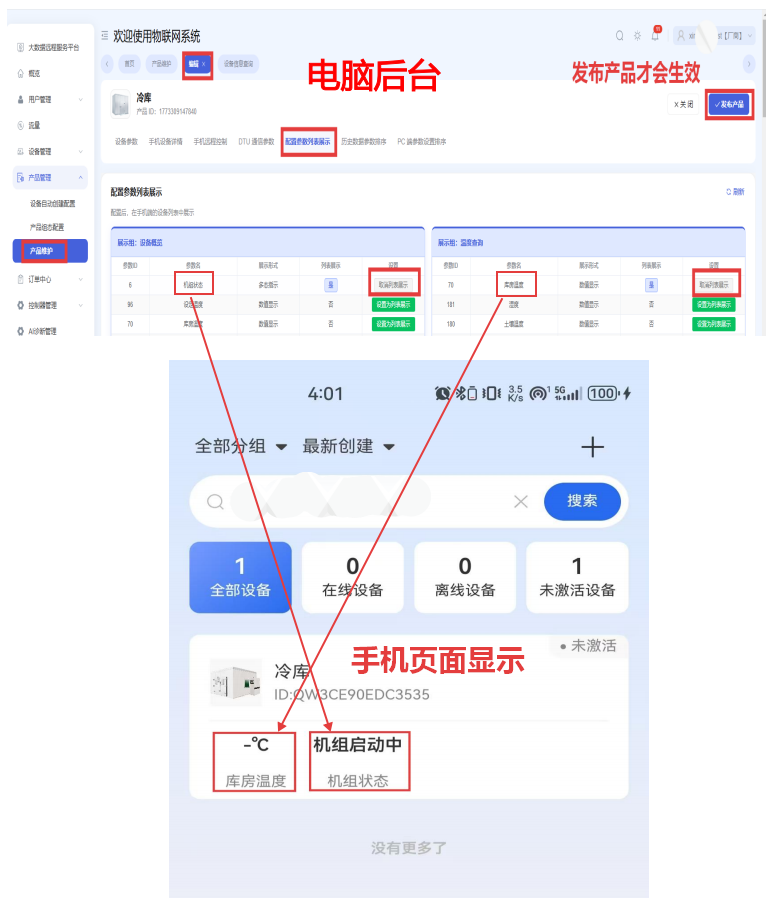
Configure Parameter List Display
This feature displays parameters directly below the device, so users can see them without opening the device page.
Path: Product Maintenance -> Edit -> Configure Parameter List Display
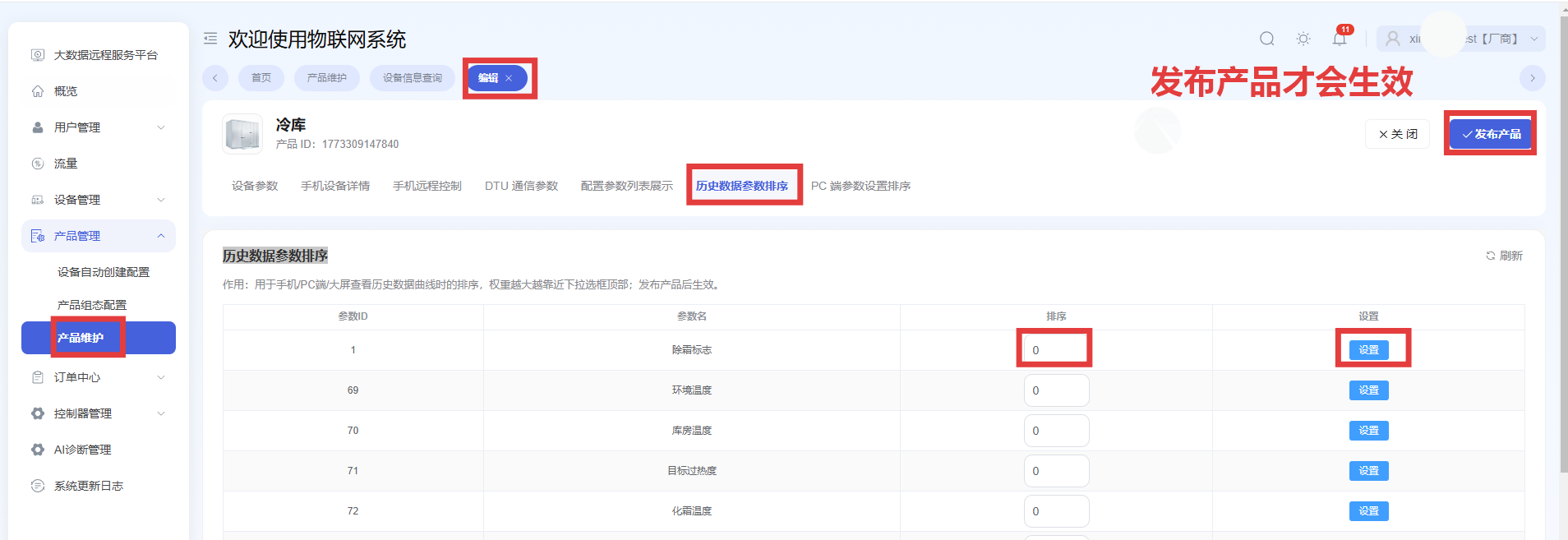
Historical Data Parameter Sorting
Used for sorting historical data curves on mobile, PC, and large-screen pages. The larger the weight, the closer the parameter appears to the top of the dropdown list. It takes effect after the product is published.
Path: Product Maintenance -> Edit -> Historical Data Parameter Sorting
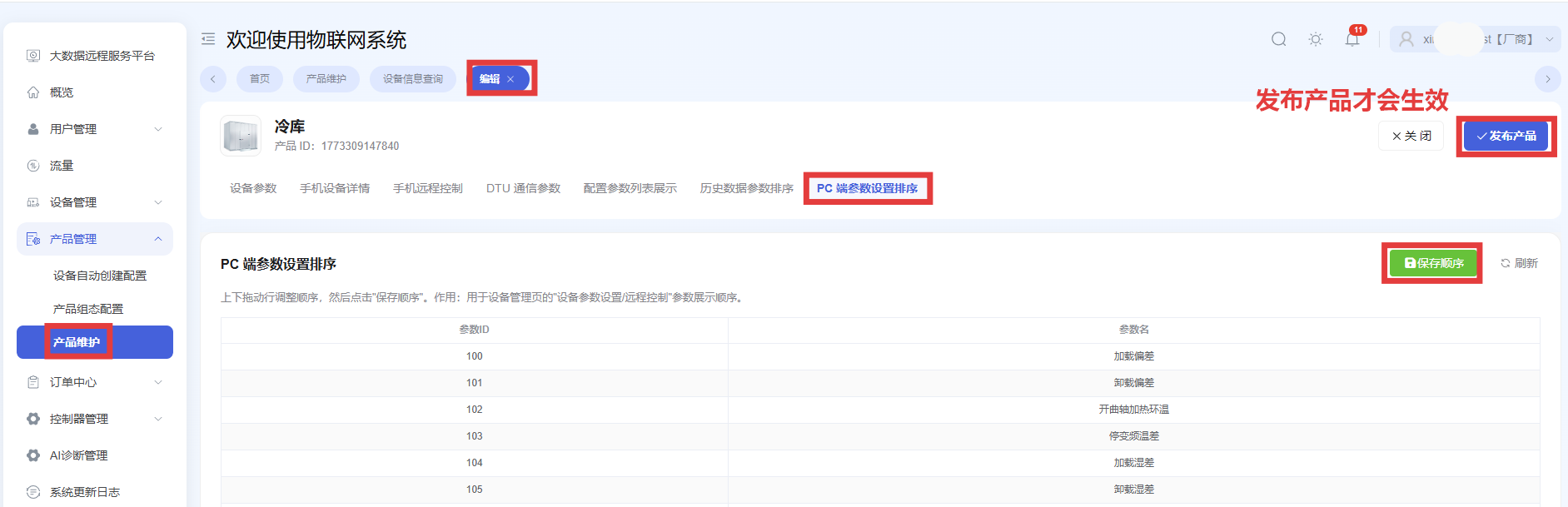
PC-side Parameter Setting Order
Drag rows up and down to adjust the order, then click Save Order. This order affects how parameters are displayed in Device Management -> Device Parameter Settings / Remote Control.
Path: Product Maintenance -> Edit -> PC-side Parameter Setting Order
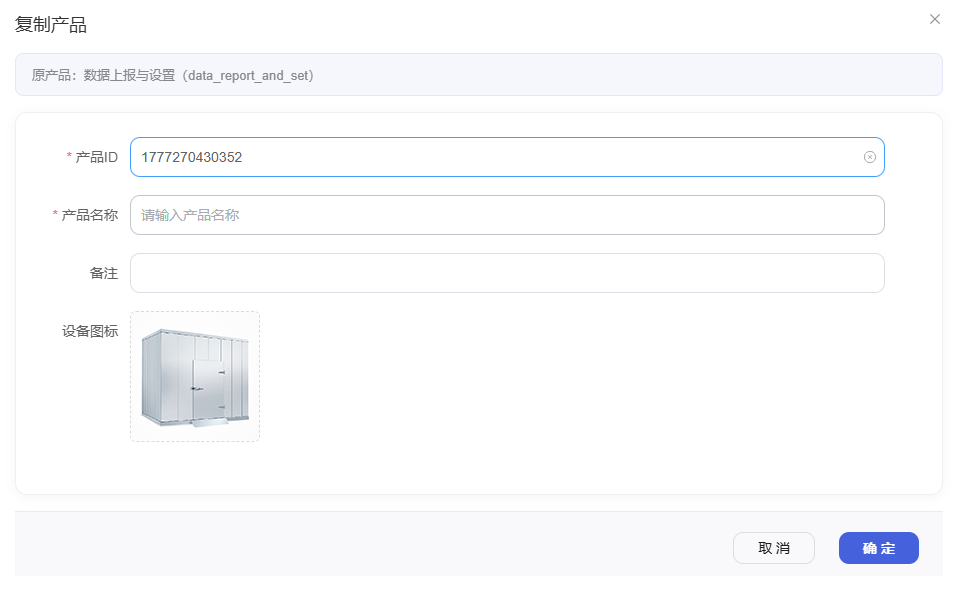
Copy Product
Path: Product Maintenance -> Copy
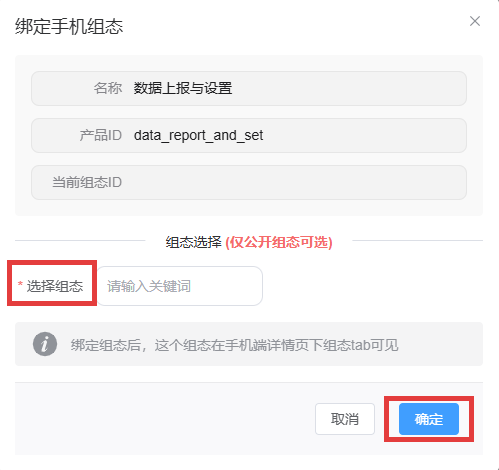
Bind Mobile Configuration
After binding, this configuration page becomes visible in the mobile detail page.
Path: Product Maintenance -> Bind Mobile Configuration
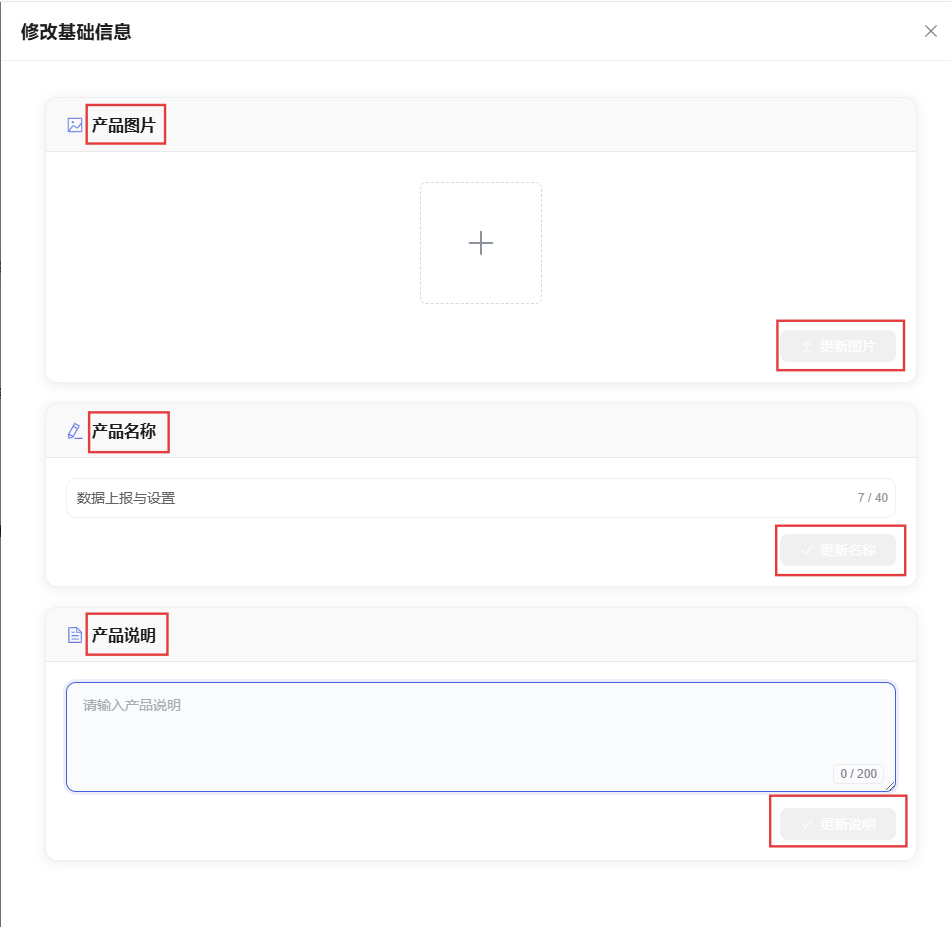
Modify Basic Information
Used to modify the basic information of the product.
Path: Product Maintenance -> Modify Basic Information