
Device Share Operator

Device Share Operator Process
Log in to the terminal administrator account
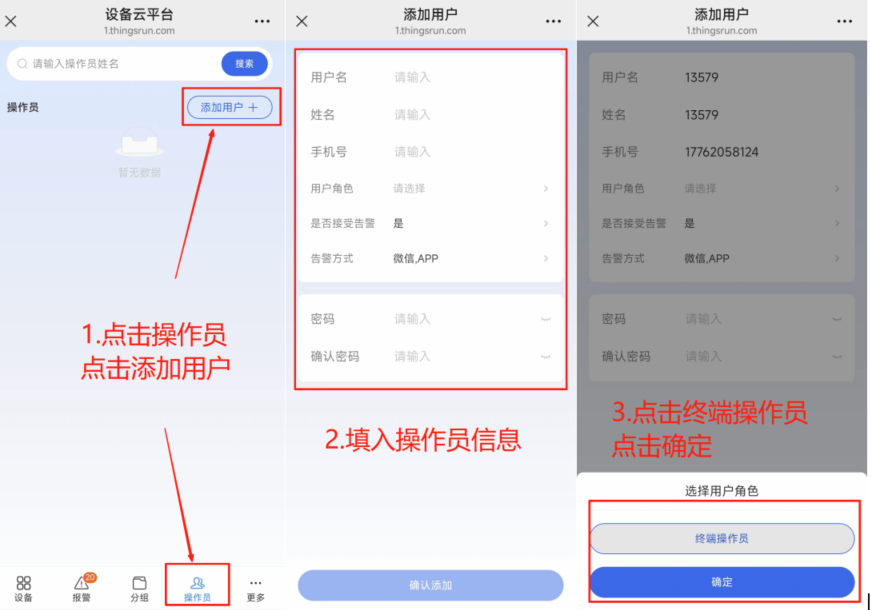
Click Operator, enter the operator interface, click Add User in the upper right corner
Fill in the operator's information
Click Terminal Administrator in User Role
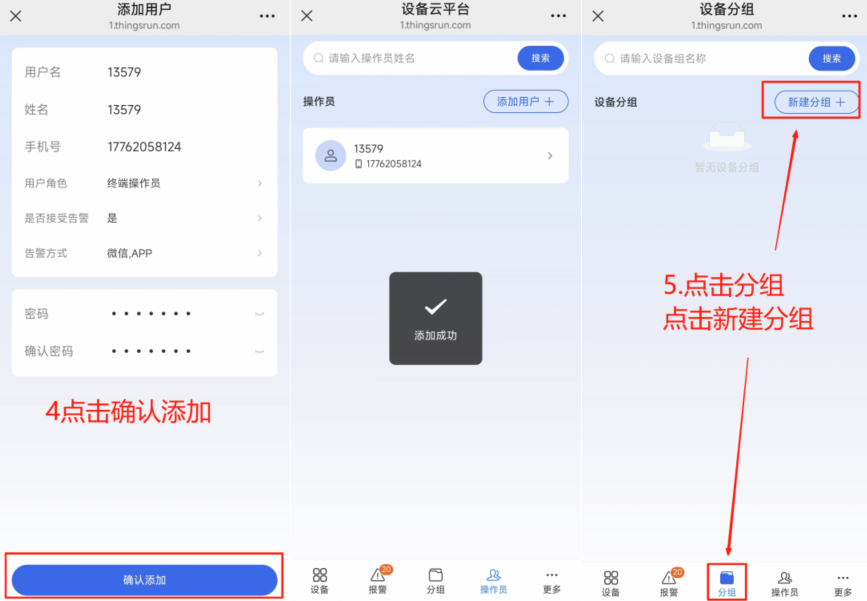 4. After filling in the operator information, click Confirm Add
- Click Group, enter the group interface, click New Group in the upper right corner
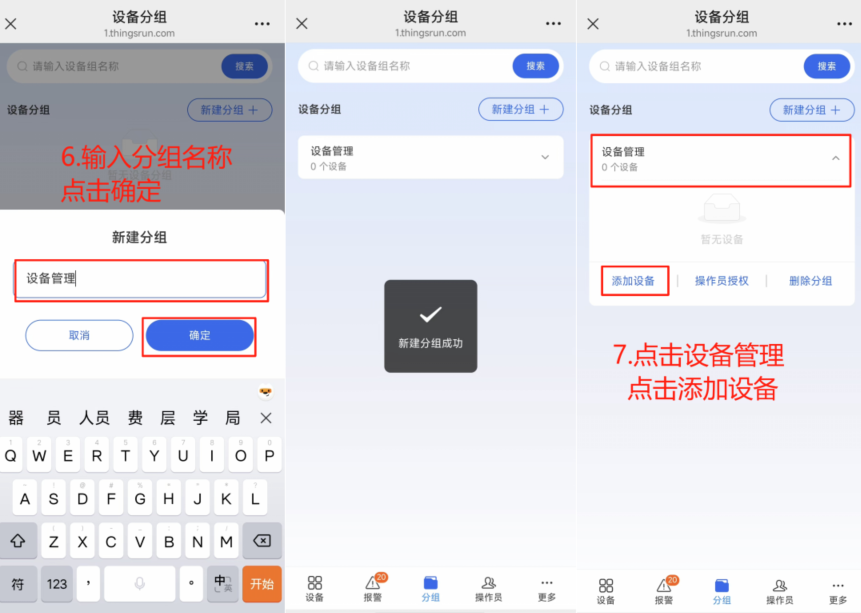
- Enter the group name and click OK
- Click the newly created group and click Add Device
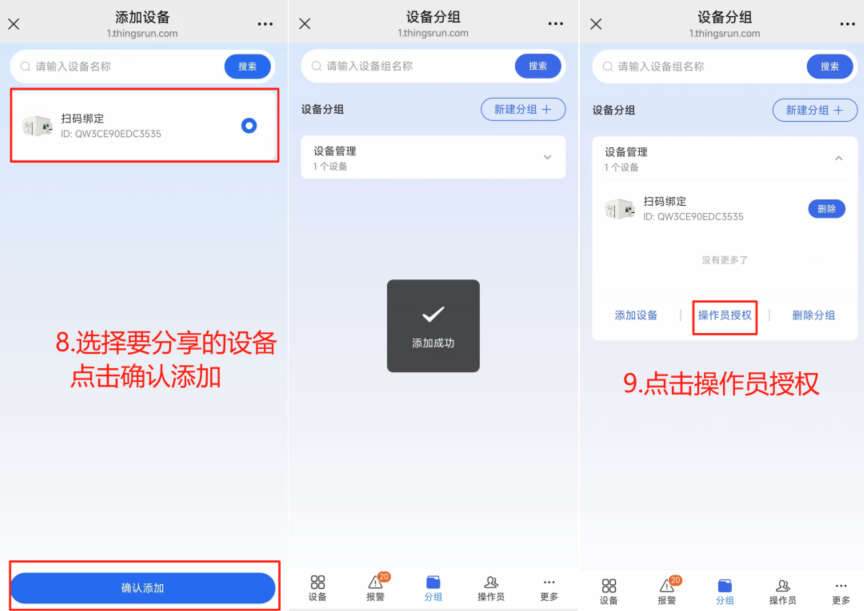
Select the device to be shared and click Confirm Add
Click Operator Authorization
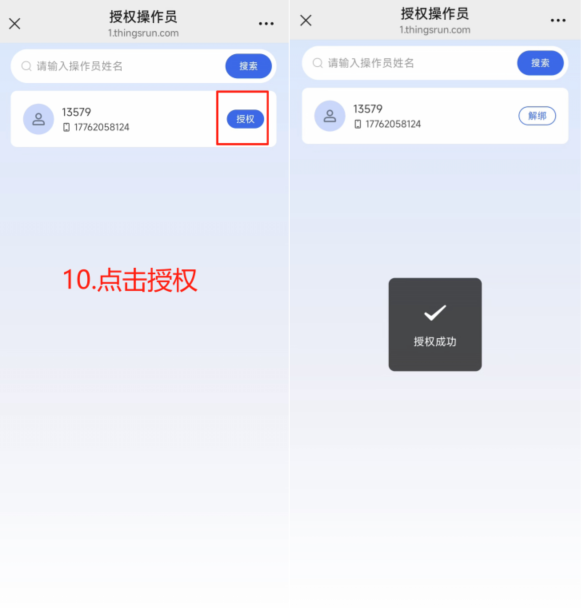
Click the account to be authorized for authorization. Display authorization successful
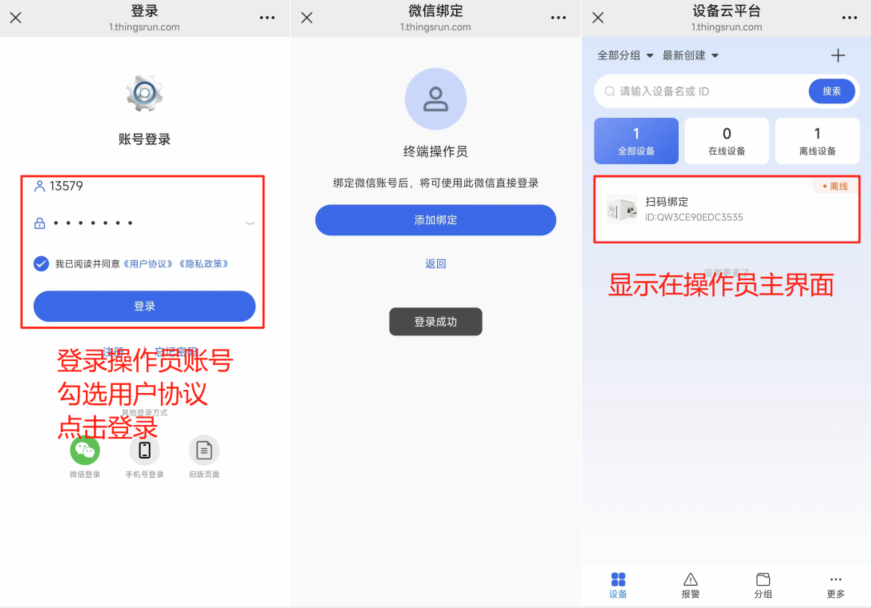
After completing the sharing, the operator can log in to the account and see the devices shared by the terminal administrator on the device interface.
Notes
- Operators do not yet have the function to unbind devices. If you need to unbind devices, you need the terminal administrator to unbind them.
- If the terminal administrator unbinds the device, all operators shared by the terminal administrator will also automatically unbind the device.