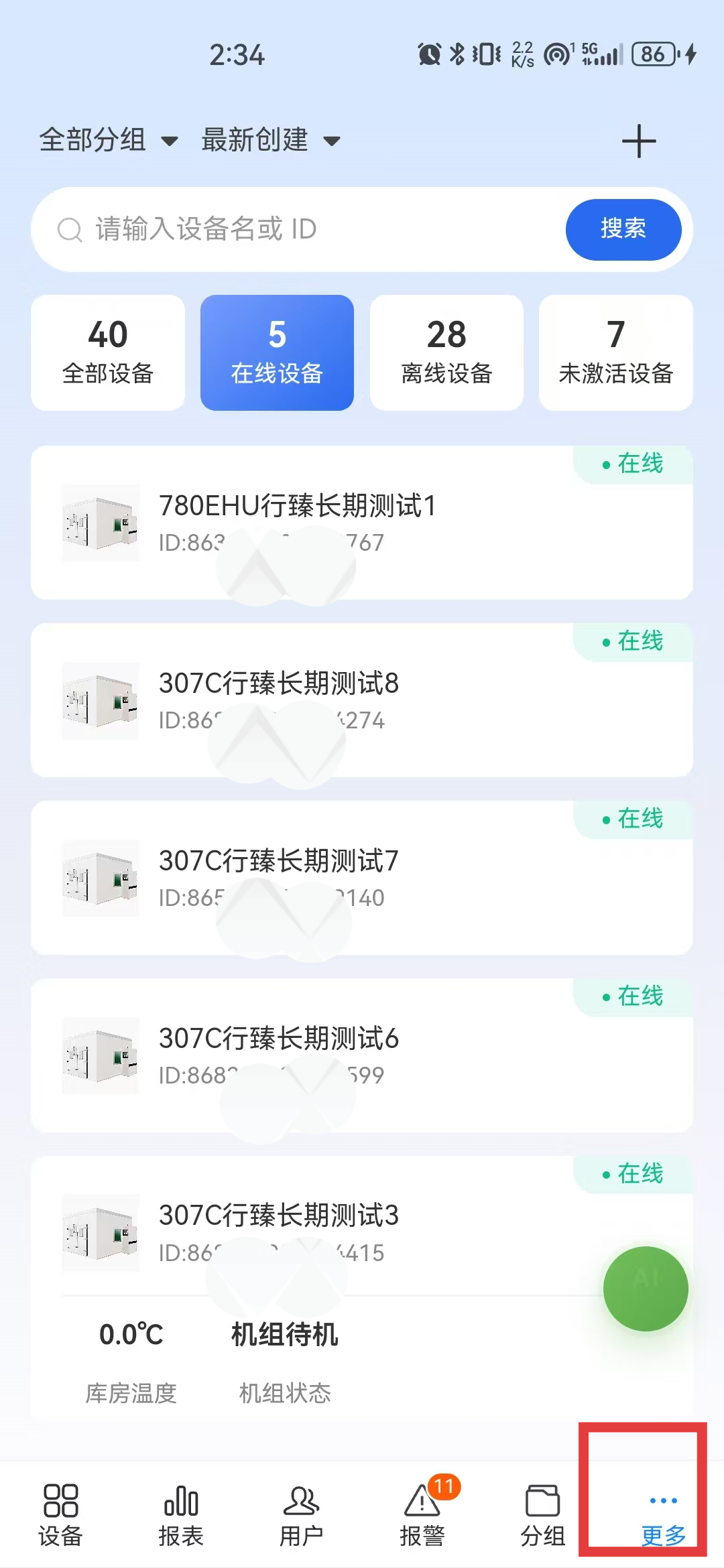
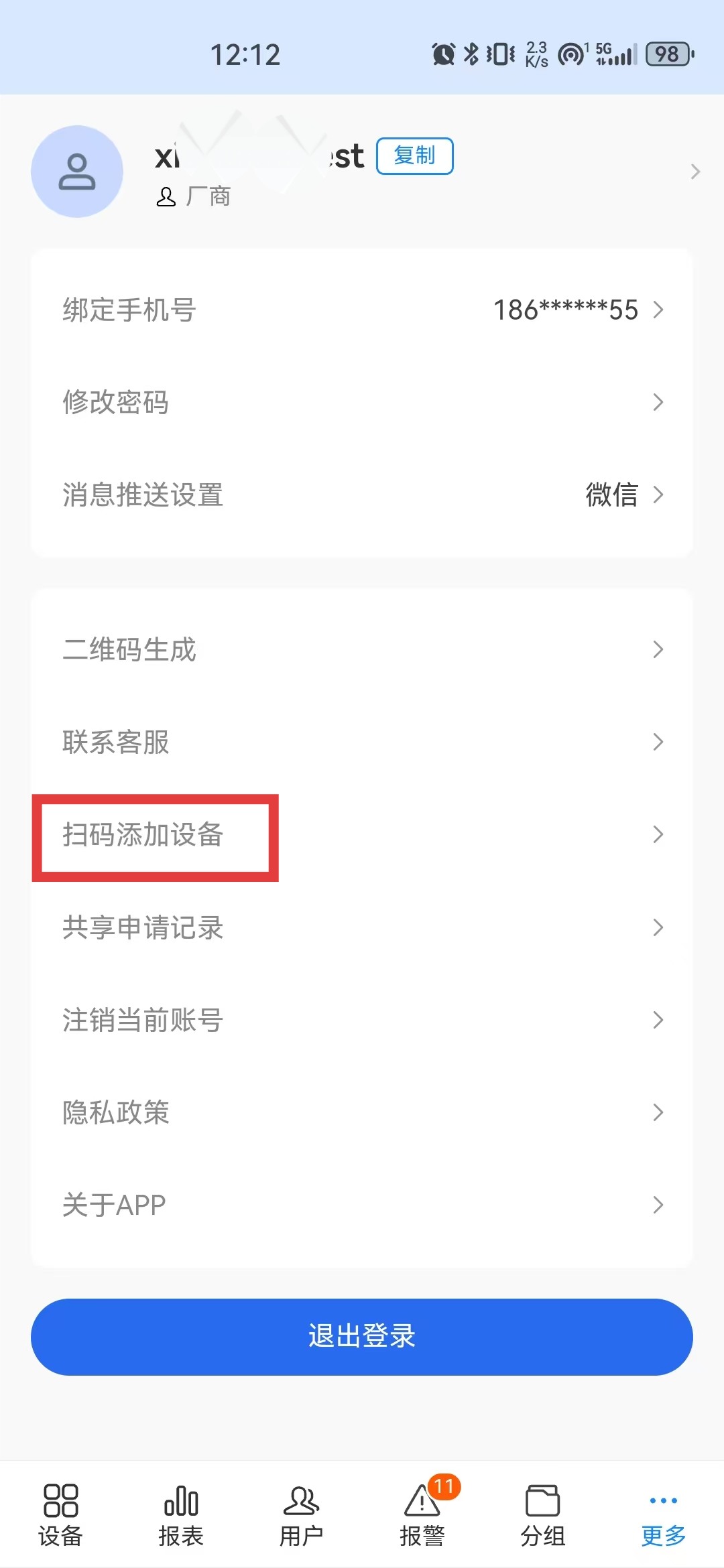
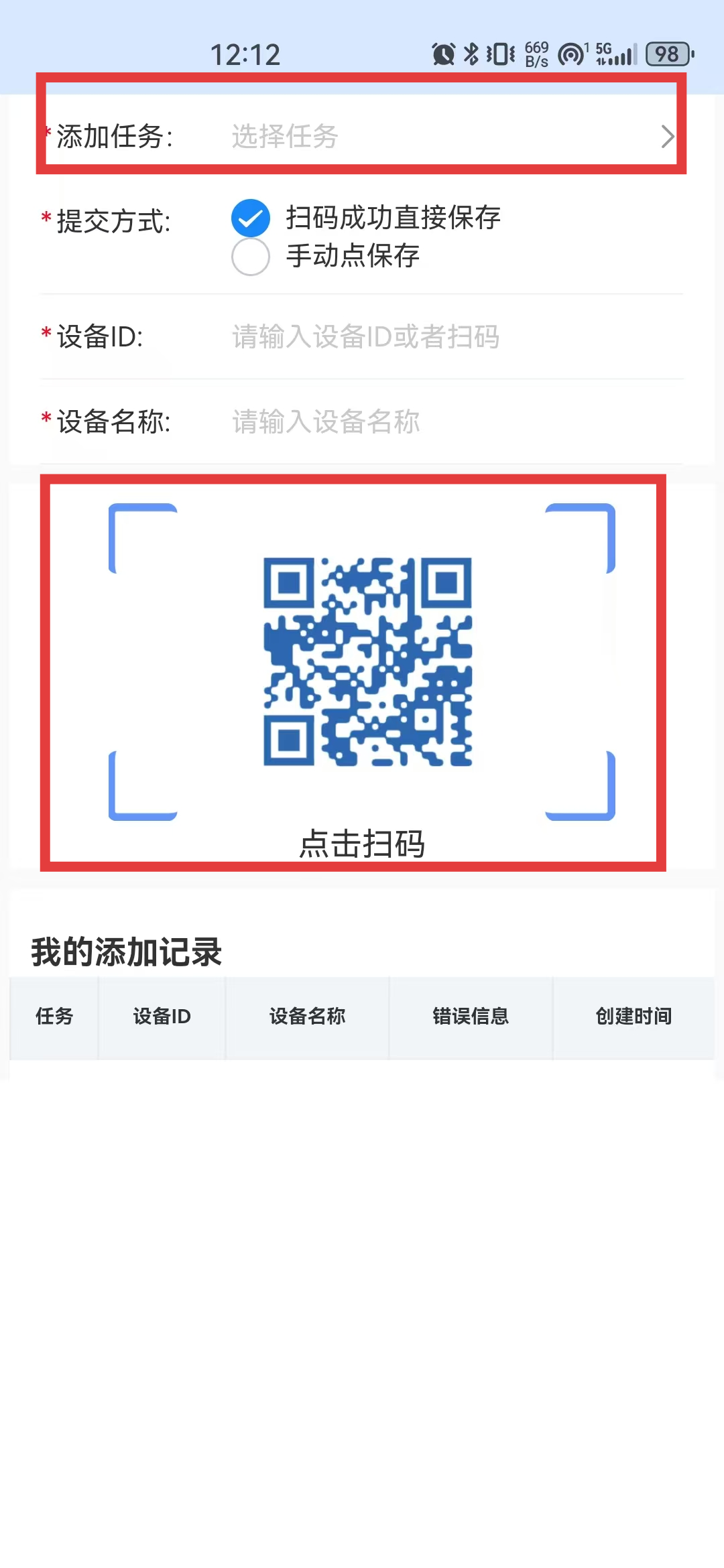
Scan-to-Add Device Tasks
Scan-to-add device tasks are suitable for scenarios where many devices need to be created under the same product, reducing the time spent creating devices manually in the backend.
After configuration is completed, devices can be created quickly by scanning with the Device Smart APP according to the selected task.
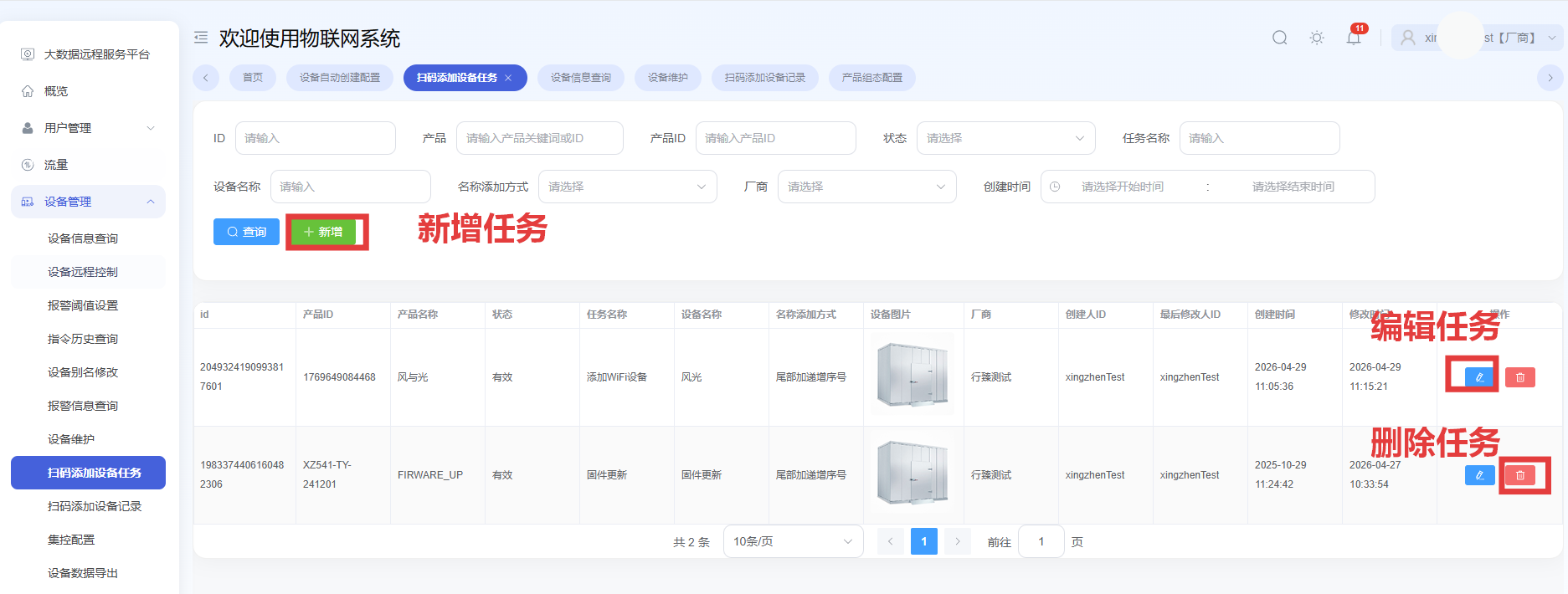
Create a Task
When scan-to-add is temporarily not needed, you can change the task status to Invalid; enable the task again when needed.
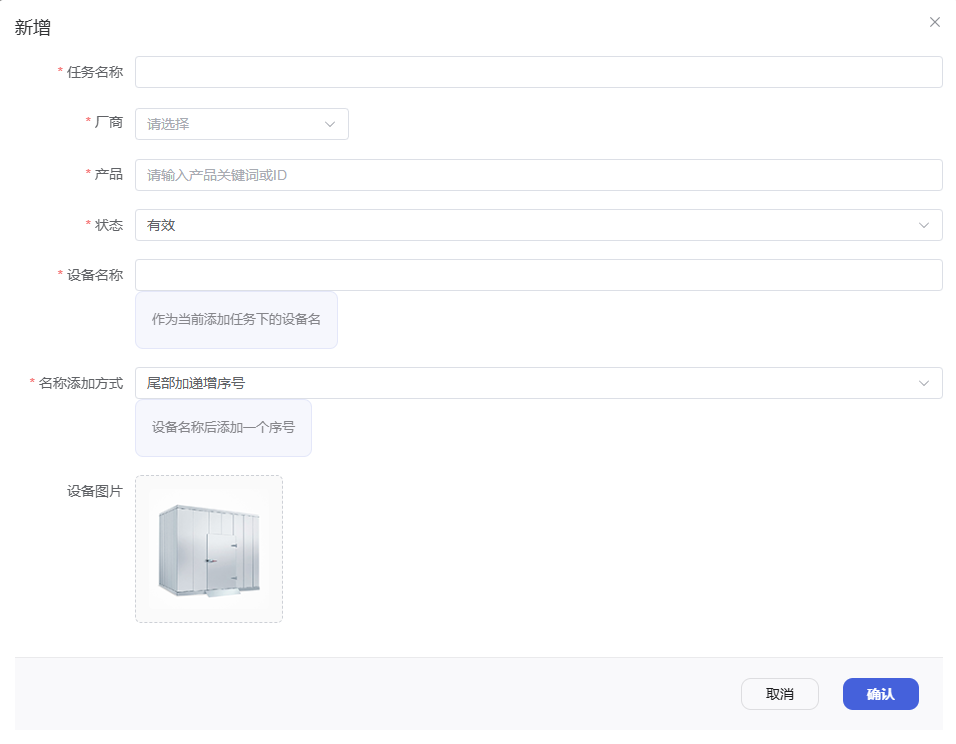
After clicking Create Task, configure the task content according to actual needs.
Mobile Operation
Path: Device Smart APP → Sign in → More in the lower-right corner → Scan to Add Device → Select a task → Scan the device QR code.