
Unbind Device
Video Tutorial
Unbind Device
- Log in to the terminal administrator account
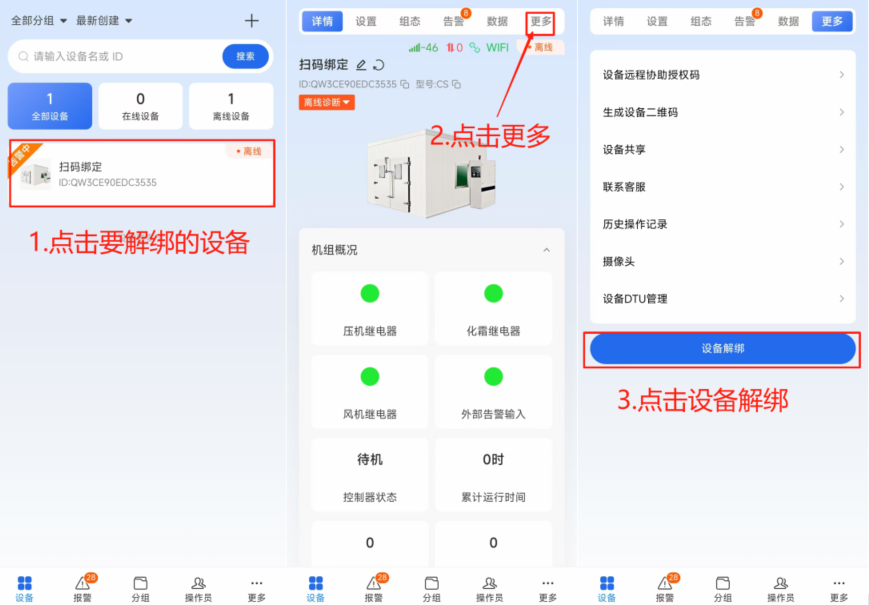
- Click on the device to be unbound
- Enter the device details page and click on More in the upper right corner
- Click Device Unbind on the More page
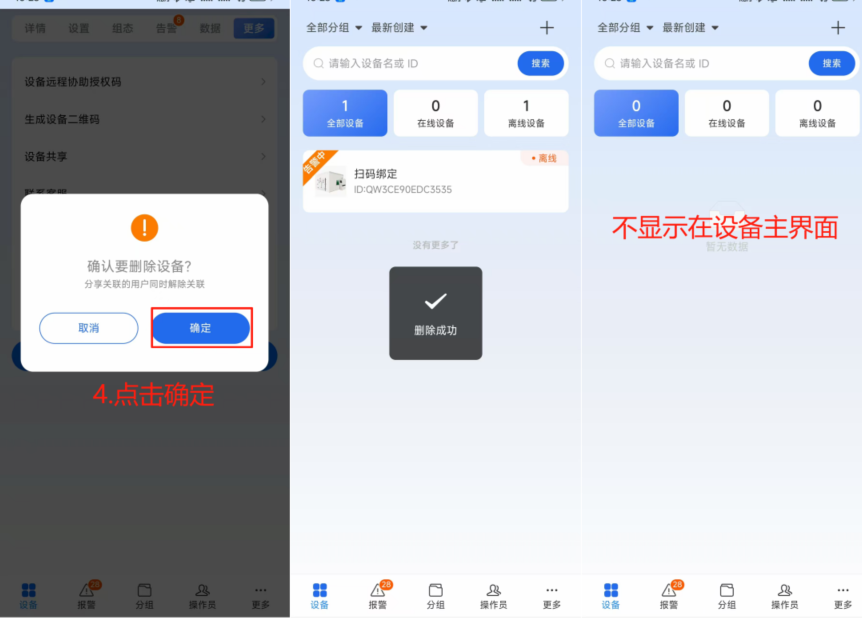
- Click Confirm
- Display deletion successful, the deleted device will disappear from the device main page after a few seconds
Notes
Only terminal administrators can unbind devices, operators do not have this function yet.