
Device Smart Official Account Registration

Video Tutorial
WeChat Login/Registration
WeChat official account supports WeChat, mobile phone number, account password login
Search for Device Smart in WeChat, enter the Device Smart official account, no need to download software
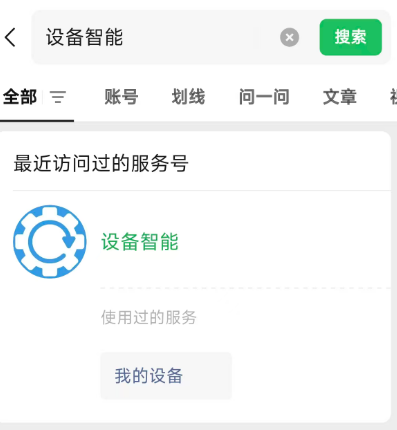
If you use WeChat/mobile phone number to log in and have not registered, an account will be automatically registered.
If the WeChat ID/mobile phone number has been bound to multiple users, you can select an account to log in
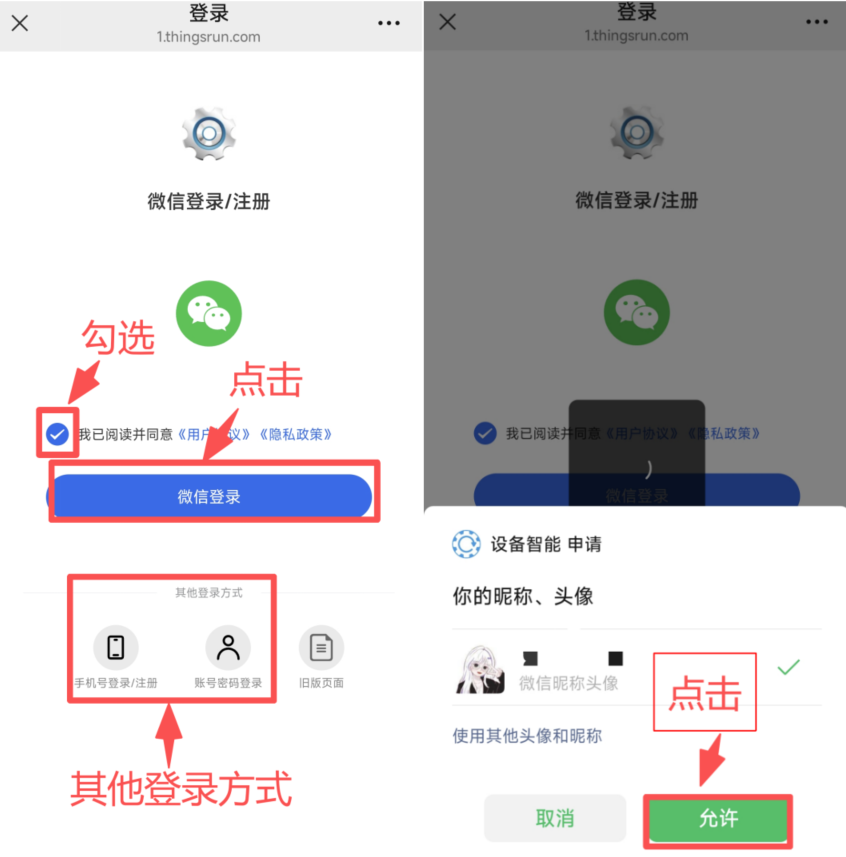
- Check the user agreement, click WeChat Login
- Click Allow
WeChat registration successful/or login successful, if the mobile phone number is not bound, it will prompt to bind the mobile phone number
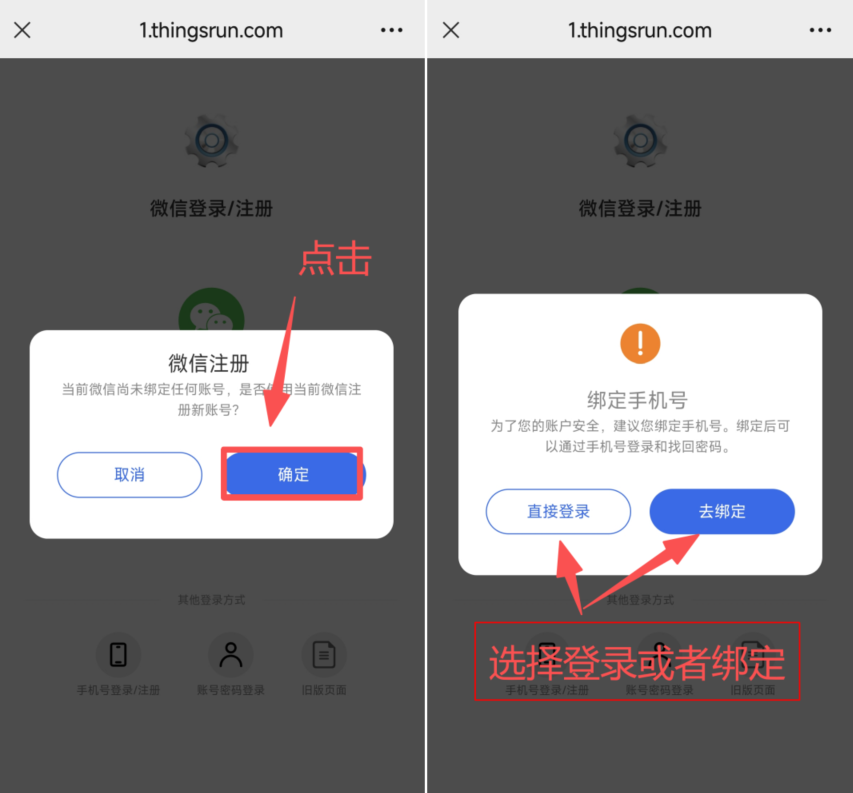
Click OK
Click to bind mobile phone number, next time you can choose WeChat/mobile phone number to log in
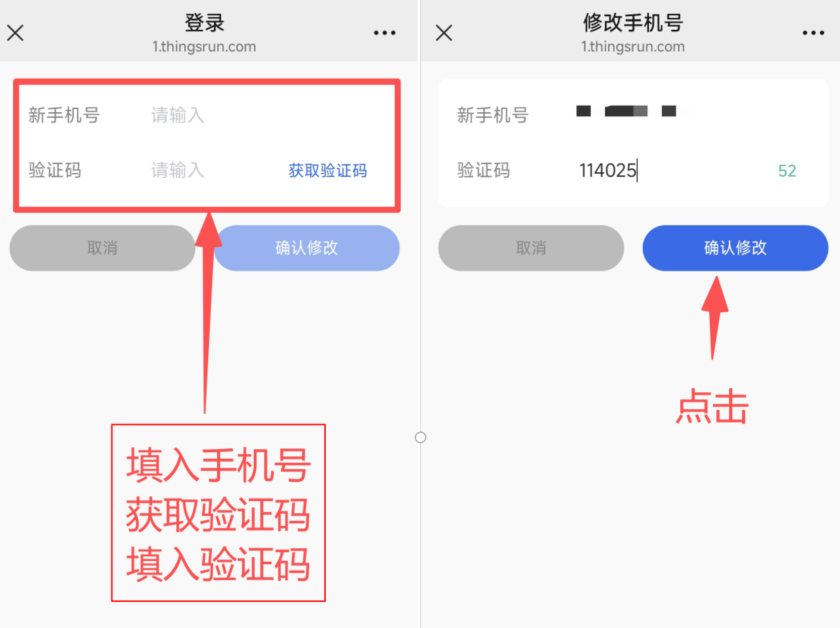
Enter mobile phone number, get verification code, enter verification code
Click Confirm Modification
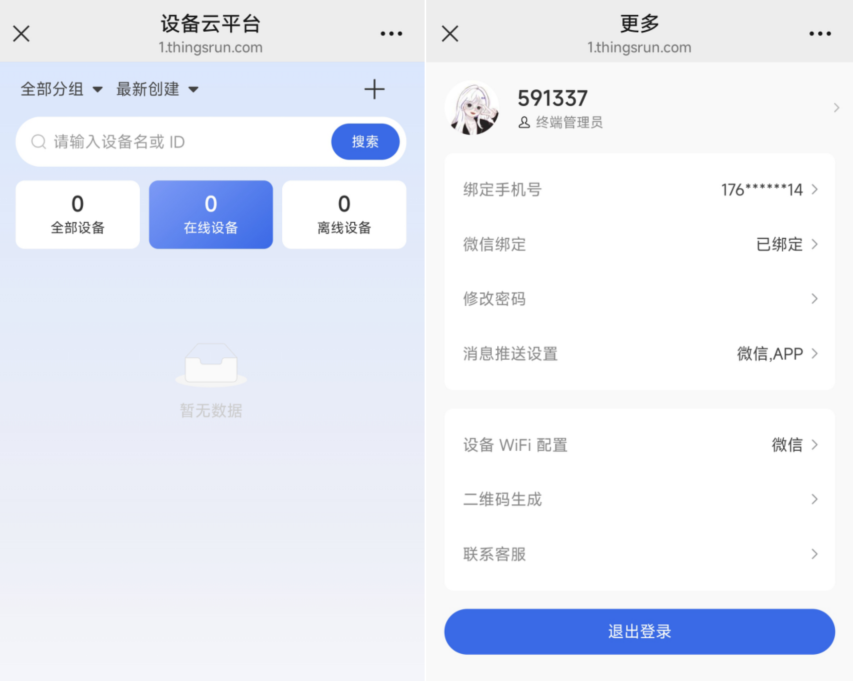
Login successful interface
If the WeChat ID/mobile phone number has been bound to multiple users, you can select an account to log in.
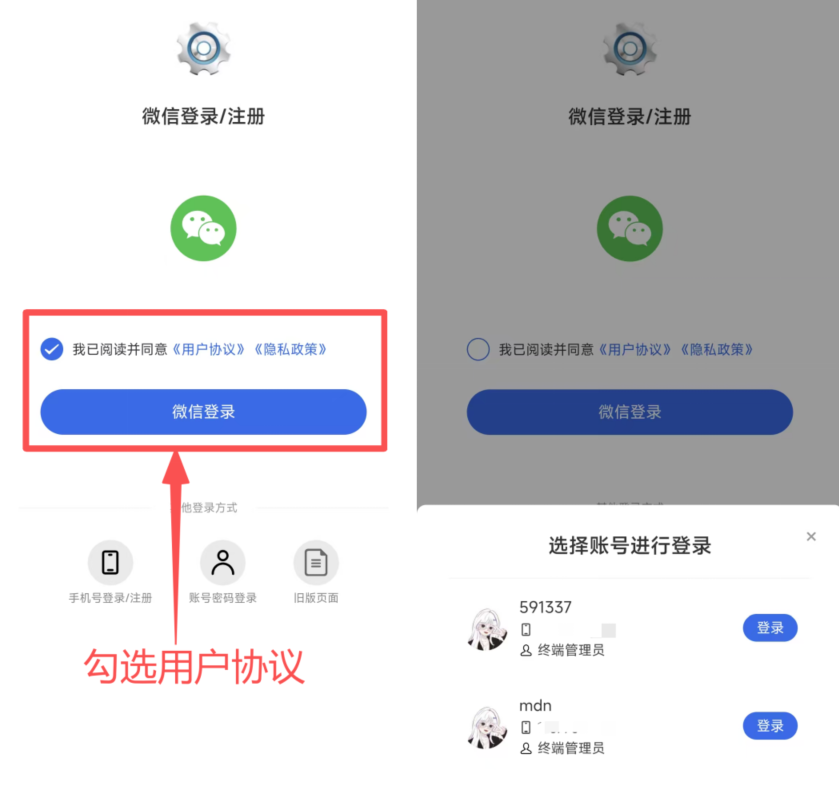
Select an account to log in interface