
Device Smart APP Registration
Video Tutorial
APP Login/Registration
APP login supports mobile phone number/account password login
If the mobile phone number is not registered, directly register and complete login when logging in.
If the mobile phone number has been bound to multiple users, you can select an account to log in
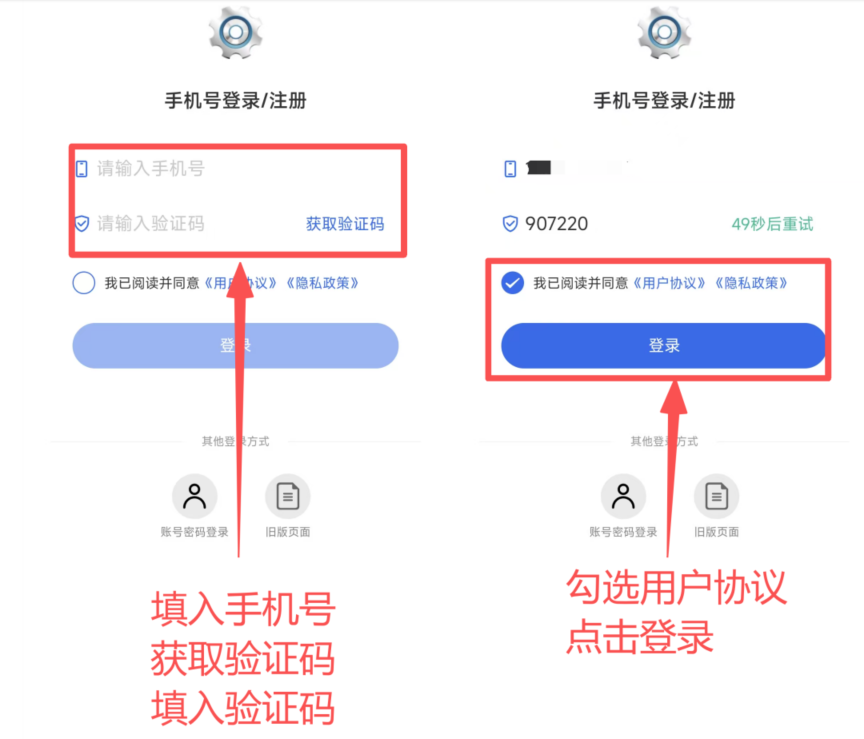
- Enter the mobile phone number, click Get Verification Code, enter the verification code
- Check the user agreement, click Login to complete registration
If the mobile phone number has been bound to multiple users, you can select an account to log in:
- Click the account to log in to complete login
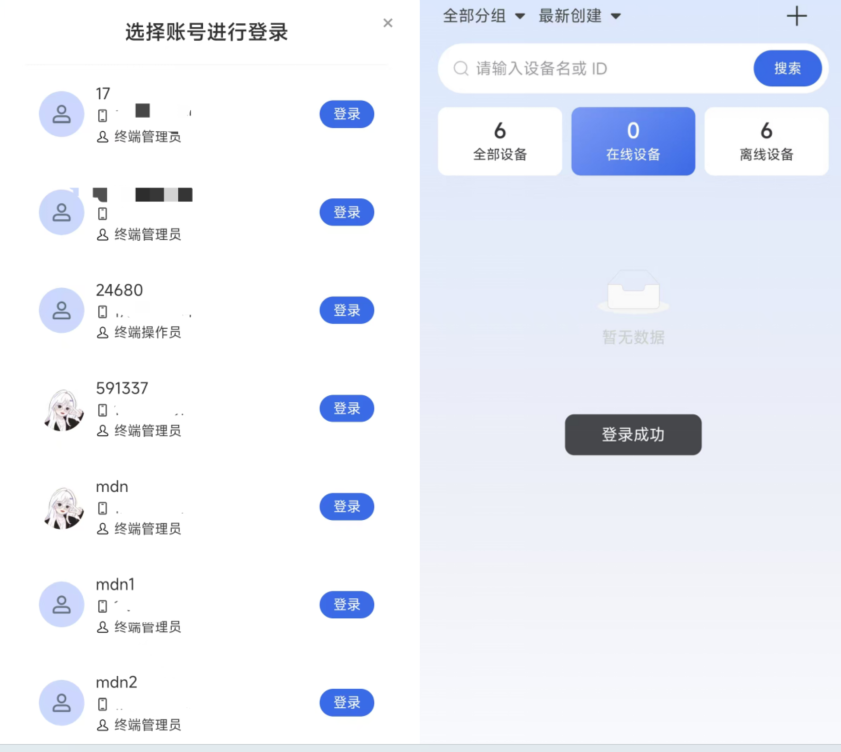
Login successful interface